


Adding one of the best MIDI keyboards to your arsenal is pretty much a necessity as a music-maker these days, particularly if you're working exclusively in the box. If you're here wanting to pick up one for your setup, you're in the right place, as we've got over 17 years of experience reviewing MIDI keyboards. Each of our top picks has been extensively tested and sorted by use case to get you straight to the best controller for your individual workflow.
If you just want the best overall MIDI keyboard for the vast majority of music makers, I'd go for the Arturia Keystep Pro. It's got a gigantic assortment of features, a great playing feel, and can be paired with external hardware. For beginners, you should check out the recently updated Akai MPK Mini IV, which gives you MPC-style drum pads and an assortment of software instruments, all for a relatively low price.
For those new to MIDI keyboards, go check out my how to choose section, which breaks down everything you need to know before you hit the buy button. I've also put together an in-depth FAQs section that answers any common questions, and a glossary of key terms to break down the technical terms found throughout this guide.
Best overall
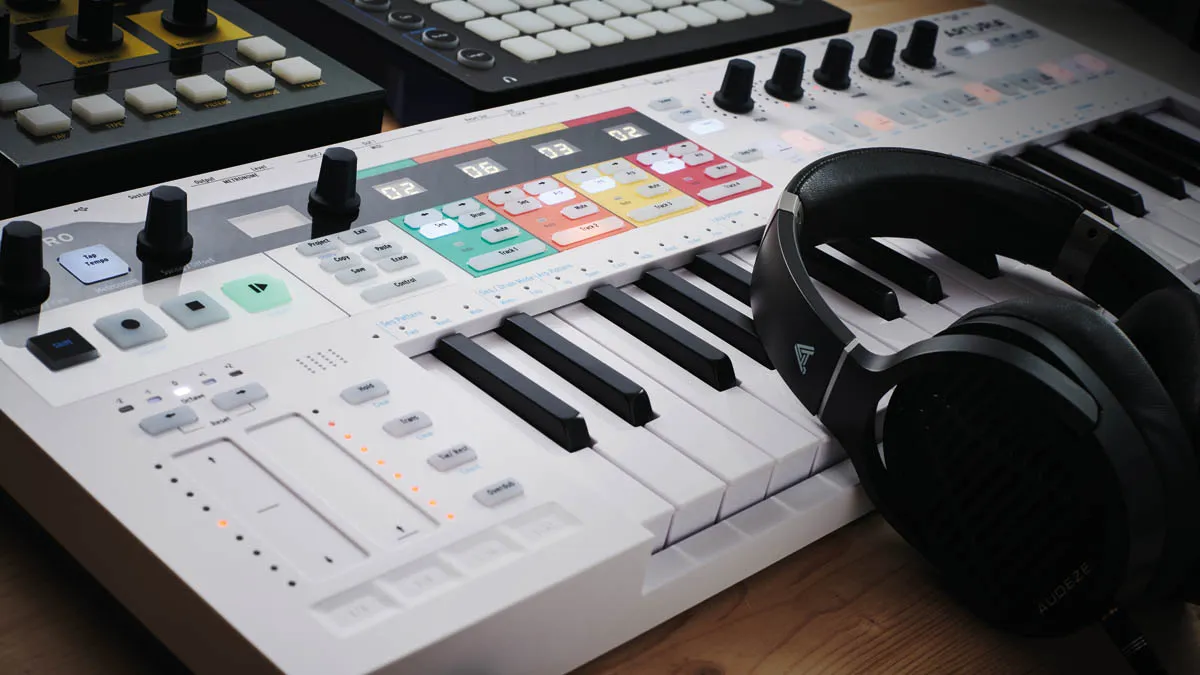
🎹 You already have some music-making experience and want to take a step up; the Arturia Keystep Pro is the MIDI keyboard for you.
✅ Buy if you want a MIDI keyboard that can do it all: With its mix of analogue and digital ins and outs as well as plenty of creative tools for sequencing, the Keystep Pro is one of the best MIDI keyboards money can buy.
❌ Avoid if you like big keys: The keystep features mini-keys, which may not suit those coming from a piano or synthesizer playing background.
Overview
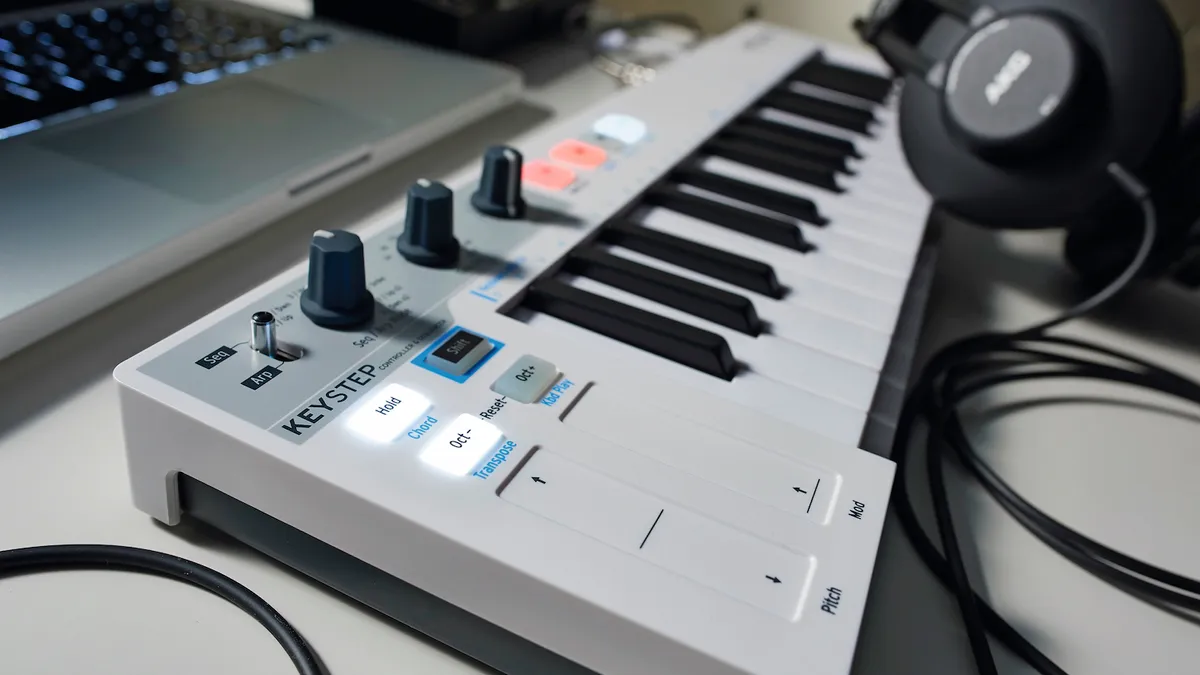
Between their ‘Step’ and ‘Lab’ devices, Arturia has a pretty broad range of controllers, ranging from the simple, budget-friendly Microlab MIDI keyboard to the multi-format sequencing tools of the BeatStep Pro. Now the KeyStep Pro has arrived to fill one of the few remaining gaps in that line-up, combining the cross-format analogue and digital sequencing of the BeatStep with a 37-note keyboard, making it better suited to melodic work.
Features
The KeyStep Pro features four sequencing channels, each of which can record a sequence of up to 64 steps. Each of these is polyphonic, up to 16 notes per step. Tracks 2, 3, and 4 are each equipped with an arpeggiator, while track 1 doubles up as a 24-part drum sequencer.
Four CV outputs give you pitch, gate, and velocity/modulation outputs, which makes it ideal for pairing with modular or semi-modular synths. There are also 8 drum trigger outputs, as well as connections for a metronome out and sustain pedal. It makes an incredibly complete offering for pairing with already existing hardware.
Performance
The 'step' portion of the KeyStep is the star of the show here, so while the slim keys are comfortable enough, if you're coming from a digital piano or full-size synthesizer, you might find them a little on the slim side. I found them to be comfortable enough for home production duties, however. Where it comes into its own is when you start programming melodic patterns and sending them to external devices, hardware, or software.
The drum programming is awesome fun, allowing you to create complex polyrhythms that sync and de-sync over time. It's surprisingly simple to use once you get the hang of where everything is on the admittedly busy frontage of the KeyStep, but it's another addition that makes it a brilliant all-rounder for music production.
For melodic sequencing duties and flexible hardware control, I found this to be easily one of the best do-it-all controllers out there right now. Its compact size may deter serious ‘players’ - Novation’s SL Mk3 remains the best CV-equipped device on that front - but modular and hardware-loving musicians will likely lap this one up.

"This is easily one of the best do-it-all controllers out there right now. Its compact size may deter serious ‘players’ – Novation’s SL Mk3 remains the best CV-equipped device on that front – but modular and hardware-loving musicians will likely lap this one up. For melodic sequencing duties and flexible hardware control, this is one of the best devices on the market."
Read more: Arturia Keystep Pro review
Test |
Result |
Score |
|---|---|---|
Build |
Very well made |
★★★★½ |
Features |
Incredible array of features |
★★★★½ |
Performance |
Works brilliantly, but keys are small |
★★★★½ |
Overall |
One of the best all-rounder MIDI keyboards |
★★★★½ |
Best for beginners

🎹 For those looking to dip their toes into production for the first time, the Akai MPK Mini IV is the best choice.
✅ Buy if you're new to production: With 25 keys, 8 pads, and 8 encoders, the MPK Mini delivers a lot of playability at a relatively small price point.
❌ Avoid if you like big keys: While they feel great to play, the mini keys might not suit certain players used to synthesizers or pianos.
Overview
Although I've touted it as the ideal beginner MIDI keyboard, the Akai MPK Mini IV is, in many ways, the best MIDI keyboard for most people. In particular, it's perfect for those looking for a quick and easy way to add melodies, basslines, and simple chords to their projects.
Features
This updated version has finally gotten rid of the much-maligned joystick, which controlled pitch shifting and modulation, replacing them with dedicated jog wheels for control.
There's now a small screen which provides some great visual feedback and additional information, as well as a dedicated software instrument with over 1,000 sounds to play with.
Performance
For me, what elevates the MPK Mini IV from a simple keyboard is the addition of eight encoder knobs, which can be easily mapped to practically any parameter of your DAW, and eight full-sized, touch-sensitive MPC-style drum pads.
Being able to drum your beats in makes for a much more immersive experience, and if your timing is good, you can add a very natural feel to your rhythms.
What you get, therefore, is a full-service production powerhouse that excels in many different playing and performing situations. I found it to be small enough to be thrown in a backpack, yet it contains enough useful features and functions to make it a highly useful addition to any studio.

"The Akai MPK Mini MK4 doesn’t exactly reinvent the wheel when it comes to MIDI keyboards, but it certainly adds enough to make it a worthwhile upgrade for music-makers, especially as it’s less than $/£100. The new pitch and modulation wheels are much needed, and the brand new Studio Instrument Collection gives you a lot of value for money in the software department."
Read more: Akai MPK Mini IV review
Test |
Result |
Score |
|---|---|---|
Build |
Lightweight and solid |
★★★★½ |
Features |
Plenty of features for beginners and more advanced players |
★★★★½ |
Performance |
Incredibly intuitive and easy to use |
★★★★½ |
Overall |
Probably the best option for most music-makers |
★★★★½ |
Best budget

🎹 If you want a basic MIDI keyboard without spending loads of money, then the Nektar SE25 will do a fantastic job in your studio.
✅ Buy if you're new to production: With 25 keys, 8 pads, and 8 encoders, the MPK Mini delivers a lot of playability at a relatively small price point.
❌ Avoid if you like big keys: While they feel great to play, the mini keys might not suit certain players used to synthesizers or pianos.
Overview
If you've splurged your budget for a studio elsewhere, the Nektar SE25 will be a fantastic, cheap MIDI keyboard. Its compact size makes it great as part of a travel rig, and it's got a surprising amount of depth despite the small size.
Features
It's a very minimal controller, so no mod wheel, drum pads, or anything else superfluous. You do get 6 assignable buttons, however, which you can use to change octaves or add certain types of modulation depending on what your needs are. It makes it slightly more flexible than it appears at first, but you do need to get used to entering setup mode to access these options.
There are no additional inputs beyond the USB output, so don't expect to be hooking this up to hardware synths. This does mean that it's incredibly small and lightweight, however, so while it's not quite pocket-sized, it'll easily fit into a backpack or shoulder bag in order for you to use it on the move.
Performance
The keys themselves are very small, so more experienced players probably won't enjoy the feel. They are touch sensitive, however, and we found that for simple chords, melodies, and beats, they do a sterling job of translating your musical ideas. If you're just getting started and need something cheap and cheerful, then this will certainly do the job.
There are some limited transport controls that can be assigned in your DAW of choice, and there are deeper options available for parameter control, but these will require a dive into the manual to get to grips with them. There's actually quite a lot of depth here, which is commendable for such a small and cheap MIDI controller.

"The Nektar SE25 keyboard itself is playable, not the greatest experience for 'proper' players of course, but when you're on the move this will be all you need: a means to input beats and notes with velocity sensitivity. If you need something bigger and more playable, you'll need to return to the studio and get your wallet out, simple as that."
Read more: Nektar SE25 review
Test |
Result |
Score |
|---|---|---|
Build |
Ridiculously small and lightweight |
★★★★½ |
Features |
Light on physical controls but has depth |
★★★★☆ |
Performance |
Keys won't satisfy proper players, but it works great |
★★★★½ |
Overall |
An excellent option if you need something dirt cheap |
★★★★½ |
Best for FL Studio

🎹 If you're already an FL Studio user and you want something that integrates intuitively, the Novation FLkey Mini is the controller you've been looking for.
✅ Buy if you use FL Studio: There aren't many dedicated controllers for FL Studio, which makes the FLkey perfect for lovers of Image Line's excellent DAW.
❌ Avoid if you don't use FL: Likewise if you're not an existing FL user, many of the features here won't make sense in a different DAW so best to avoid.
Overview
FL Studio has been around for a long time and is regularly used for producing music, yet users have had to wait ages for a dedicated controller. It’s finally here though, and the Novation FLkey Mini is a fantastic MIDI keyboard for those who do their work in FL Studio.
Features
With 16 RGB pads, 10 buttons, 8 encoders, and touch pads for modulation and pitch shifting, Novation has crammed a lot into this mini MIDI keyboard, but it never feels cramped when you're working on it. Some might bemoan the lack of a display, but I didn't feel like it held me back when using it.
There's good connectivity with a sustain pedal out and a MIDI output, which is accessed via a 1/8-inch connector rather than the usual 5-pin MIDI connection. This means you'll need an adapter if you want to connect it to external hardware.
Performance
The mini-keys are surprisingly playable despite the size and touch-sensitive too, which is great for adding extra feel to your melodies. They may well feel cramped for players coming from full-size keys, but I found they were easy enough to get used to after a decent bit of playing.
Dedicated preset buttons are a godsend for auditioning instruments, allowing you to cycle through without reaching for the mouse. Alongside those, you also get buttons for Channel Racks, transport control, the Score Log, and undo/redo. There might not be much choice for dedicated FL controllers, but thankfully, this one is absolutely brilliant.

"The Mini is a flexible little controller that you can take anywhere and fits into the smallest nook in your studio or live rig, but if we were going to choose just one model, it’d be the FLkey 37 - that display and the extra buttons, and the expanded playing functions, make it worth the extra money and the extra space, recommended for any FL Studio user seeking keyboard integration and hardware control. Not that there’s a lot of competition, but even if there was, the FLkey range, in particular the FLkey 37, are superb controllers for FL Studio - they’ll prove essential for live and studio use alike."
Read more: Novation FLkey Mini review
Test |
Result |
Score |
|---|---|---|
Build |
Looks great and is well made |
★★★★★ |
Features |
Excellent features for FL users |
★★★★½ |
Performance |
Super easy to get to grips with |
★★★★★ |
Overall |
Ideal if your DAW of choice is FL Studio |
★★★★★ |
Best for Ableton

🎹 If you want a MIDI keyboard to use with Ableton, then this Launchkey MK4 is undoubtedly the best solution.
✅ Buy if you use Ableton: Designed to integrate perfectly with Ableton Live, the Novation Launchkey is packed full of features that make using it with Ableton an absolute breeze.
❌ Avoid if you don't use Ableton: It will work with other DAWs, but this is best for those who do the majority of their work in Ableton Live.
Overview
Of course, the Launchkey Mini Mk4 isn’t exclusive to Ableton, as it plays perfectly nicely with other DAWs too, but if you’re a Live user, it undoubtedly represents the best solution at this price point. Incremental improvements from the Mk3 make it a fantastic evolution, albeit not a complete revolution from previous versions.
Features
Developed primarily for Ableton users and newly updated, this pocket powerhouse is just brimming with features, many of which were missing from the previous version, including - finally - pitch bend and modulation touchstrips, a hardware MIDI out on a TRS jack, an incredibly flexible and versatile arpeggiator, a chord memory feature, chord detection, and a great, deal-sweetening software bundle.
Unsurprisingly, the software bundle includes a copy of Ableton Live Lite 12, as well as plugins from Kelvgrand, Oberheim, lessons from Melodics, and a nice orchestral bundle. It adds a lot of value for those making their first strides into music production, and there's enough here for more seasoned producers.
Performance
Of course, it works brilliantly with Ableton Live, and if you already know that particular DAW well, then you'll be able to get up to speed pretty quickly with this. The OLED display is super handy, giving you a visual cue of whatever you're currently controlling that's quick and easy to read. It'll be a boon for newer producers in helping them get up to speed.
As a general-use MIDI keyboard, I found the Launchkey Mini Mk4 to be more than adequate for our dual-octave, travel-friendly needs. If you want a small, velocity-sensitive MIDI keyboard with impressive connectivity, I don't think you can go wrong with this.
"The Launchkey Minis are ideal for producers on a budget, educators who want to kit out a classroom, and pros who want a fully-featured travel keyboard. It’s not a matter of which size is better, it’s a matter of which size works best for you. The updated Launchkey Minis bring incremental improvements. Although superficially they look like Ableton controllers, they’re equally handy with other DAWs and hardware."
Read more: Novation Launchkey Mini Mk4 review
Test |
Result |
Score |
|---|---|---|
Build |
Solid and super lightweight |
★★★★½ |
Features |
Great Ableton-centric functionality |
★★★★½ |
Performance |
Works brilliantly with all DAWs |
★★★★½ |
Overall |
The perfect MIDI keyboard for Live users |
★★★★½ |
Best for Logic Pro

🎹 For Logic users who want a full-size keyboard, the Nektar LX88+ is an excellent choice.
✅ Buy if you use Logic Pro: The Nektar MIDI keyboards have excellent DAW integration, but there aren't many controllers out there that work so well with Logic Pro.
❌ Avoid if you're short on space: With 88 full-size keys this is a pretty big MIDI keyboard, so not for those who are lacking space on their desktop.
Overview
Today’s buyers of keyboard controllers are spoilt for choice, but if you’re looking for a full piano-size 88-note MIDI controller, said choices are more limited. One great option is Nektar’s Impact LX88+, which combines an 88-key semi-weighted USB-powered keyboard with extensive DAW control via nine sliders, nine buttons, eight knobs, eight pads, and transport controls.
Features
The LX88+ has a lot of buttons for you to use, including dedicated mixing controls for your DAW that allow you to adjust levels and panning as well as muting or soloing. With the ability to change instrument parameters and envelopes, who needs a DAW hardware controller when you've got this bad boy?
It's got a 5-pin MIDI connector as well as an input for a sustain pedal, and you can power it via a 9V DC power supply if USB power is not available for whatever reason. You also get a slightly dated-looking 3-digit display that shows a certain value depending on what you're doing.
Performance
Nektar's excellent DAW integration has been improved upon massively, with standardised assignments over countless VST instruments making for a seamless workflow. It'll work with many popular DAWs too, including Logic Pro, Reaper, Studio One, Cubase, and loads more.
Despite the number of features, we found the LX88+ to be reasonably compact and light enough to be portable. What’s more, the keys feel good, and the mechanical noise is quite low. The LX88+ won’t suit everyone, and some 88-key users will be after a full weighted hammer-action, but at this price, it’s a bargain and well worth testing.

"Despite the number of features, the LX88+ is reasonably compact and at 18 kilos light enough to be portable. What’s more the keys feel good and the mechanical noise is quite low (both factors that are often lacking in more affordable keyboards). The LX88+ won’t suit everyone (and some 88-key users will be after a full weighted hammer action). But at £300 (and with a free copy of Bitwig 8-Track bundled) it’s a bargain and well worth testing."
Read more: Nektar Impact LX88+ review
Test |
Result |
Score |
|---|---|---|
Build |
Large yet surprisingly lightweight |
★★★★½ |
Features |
Huge number of buttons, encoders, and faders |
★★★★½ |
Performance |
Takes up a lot of space but great for certain musicians |
★★★★½ |
Overall |
A great option for Logic users or those after 88-keys |
★★★★½ |
Best compact

🎹 For those who need a compact but complete MIDI keyboard, the Arturia MicroLab Mk3 will tick a lot of boxes.
✅ Buy if you're short on space: With its teeny-tiny footprint, this mini MIDI keyboard is perfect for those in need of a compact controller.
❌ Avoid if you need lots of transport functions: Due to its small size there's not much in the way of extra controls here, so might not suit those who rely on physical controls
Overview
I'm a huge fan of Arturia's MIDI keyboards, and the Arturia MicroLab Mk3 hasn't done anything to change that. It's a teeny-tiny but high-quality MIDI keyboard ideal for players who haven't got much desk space or want something they can take on the go with them.
Features
It's actually ever so slightly wider than the bigger MiniLab to accommodate the touchstrips, but front to back, it's a lot smaller than its generally larger sibling. The wood-effect panels at each end lend it a very classy look, making it look more like a proper bit of studio gear instead of a relatively cheap compact MIDI keyboard.
There's no MIDI here, which might make certain producers look elsewhere, but you do have a 1/4-inch input for a sustain pedal alongside the USB-C connector and Kensington lock. There's also a really great software offering with Arturia's Analog Lab Intro, offering 500 synth top quality synth sounds.
Performance
Looking like a smaller MiniLab Mk3, it's a USB-powered 25-key controller with touch strips for controlling expression functions and pitch bend. As well as looking like the MiniLab, it also has the same springy key action, which will be familiar to any synth user. It's very mechanically quiet, which adds to the premium feel of quality, and is very playable despite the mini-key size.
I found the touch strips to be very sensitive, which is great for granular control over functions, but I did sometimes find myself accidentally setting them off with my left hand. The three main control buttons double up if you use the shift button, so while it doesn't have as many additional controls as others, it should still be plenty for most musicians.
"MicroLab Mk3 is Arturia’s simplest keyboard controller, and it would be easy to focus on what it doesn’t do. However, the remit for this backpack-friendly controller is to keep things small and simple, and it meets that remit admirably. What’s more at under £50, it’s ideal for beginners or more seasoned users after a sofa or travel device."
Read more: Arturia MicroLab Mk3 review
Test |
Result |
Score |
|---|---|---|
Build |
Compact but rock solid |
★★★★½ |
Features |
Not as many features as others but does the job |
★★★★☆ |
Performance |
Keybed is fantastic and it's easy to use |
★★★★½ |
Overall |
A great option if you need something compact |
★★★★½ |
Best MPE (MIDI Polyphonic Expression)

🎹 If you've hit the limit of traditional controllers and want an upgrade, the expressive control of the Osmose CE will take your playing to unforeseen places.
✅ Buy if you want expressive control: The Osmose CE delivers a completely different experience to the rest of the controllers in this guide, offering lateral movement, after-touch, and much more.
❌ Avoid if you're a beginner: Playing one of these keyboards is very unforgiving and takes time to learn, so avoid if you're after your first MIDI keyboard
Overview
Representing the next frontier of MIDI keyboards, MPE (MIDI Polyphonic Expression) controllers take the traditional keyboard and turn it on its head, offering new ways to interact with sound. The Expressive E Osmose CE builds on the success of its flagship synth release, offering a cheaper platform for users who don't need a synthesizer engine.
Features
Manufactured in Poland, this is a weighty option compared to the others here. It's got a full size keybed that sits proud of a metal/aluminium chassis, and the build quality is absolutely stunning. You get pitch and modulation sliders to the left hand side of the keybed, where you'll also find a 4.3-inch LCD display, along with some additional buttons and encoders for control.
It's available in a 49-key version for those without so much space, and comes with the Ctrl-e software that delivers over 900 MPE ready sounds for you to play with. Power is delivered via USB-C, and it also features MIDI connectivity via the traditional 5-pin DIN sockets.
Performance
The Osmose CE has a much deeper travel than a regular keybed. A hard-ish press gets you about halfway, but if you continue to push you get into the aftertouch zone, where you can start adding vibrato or other parameter controls to unlock new levels of sound. You can also move the keys laterally, which typically unlocks some type of vibrato but can be customized to do pretty much whatever you like.
It means it takes some getting used to, especially if you're coming from a more traditional piano or synthesizer background. But it also unlocks a new level of control that no other MIDI keyboard can match, and our experience using it found a very musical controller that we wanted to keep playing.
The software features loads of great sound to play with, but we did find the installation process a bit finnicky. There was a lot of messing around before we were able to get up and running. We also questioned the use of the screen for navigation, when you have your computer screen right in front of you, although we did find we got used to it after a period of time.

"The playing experience is very different to that of the piano, and will take some time and encouragement to fully embrace. Playing slower and more chordal progressions allows you time to embrace the MPE control, but rapid playing presents greater challenges, particularly as ends of notes are nowhere near as tight as more conventional controllers. The upside is, of course, you get all the other MPE elements, which you could not do in the same way with a regular controller, even armed with a bank of faders."
Read more: Expressive E Osmose CE review
Best 49 keys

🎹 If 88 keys is too much but you want the feel of a 'proper' keybed, the Novation 49 SL is a great go-between.
✅ Buy if you want 49 keys: With 49 keys and endless additional controls, the Novation 49 SL gives the perfect balance between compact usability and full functionality.
❌ Avoid if you like randomization tools: Some MIDI keyboards at this level will give you randomization tools but these are notably absent from this particular model.
Overview
It's not the newest MIDI keyboard out there, but the Novation 49 SL MkIII remains one of the most flexible options on the market. With semi-weighted keys and plenty of options for controlling external hardware, it's a great option if you don't have room a full-fledged 88-key controller but want the same amount of features.
Features
Sure, you can plug the SL MkIII into a PC and use it to control your DAW, but with an eight-channel onboard sequencer and multiple forms of digital and analogue output, this latest SL really can do much more besides.
Novation has done an excellent job in making setup as hassle-free as possible, but given how adaptable the SL MkIII is, you’ll still need to spend some time configuring it to best adapt it to your own setup.
Performance
I found that it doesn’t quite match the plug-and-play immediacy of NI's Komplete Kontrol system, but it offers much more flexibility for interfacing hardware and software. It comes with templates for controlling hardware from Elektron, Roland, Korg, and Novation's own hardware, which are really well designed and make it a breeze to get set up with modular synths and other hardware.
The ability to sequence and control analogue hardware, MIDI-equipped instruments, plugins, and your DAW all from one interface and clock source is excellent, and if you dig into the SL MkIII’s versatile workflow, you’ll find that there’s a deep well of creative possibilities just waiting to be explored.
"Frankly, the ability to sequence and control analogue hardware, MIDI-equipped instruments, plugins and your DAW all from one interface and clock source is excellent. During our review tests, for example, we had the sequencer triggering chords on a Korg Minilogue, polyrhythmic grooves from an Analog RYTM and TR-8, sequenced pads in FXpansion Cypher 2, all while automating each, sending an analogue clock to a CV-equipped effects setup, with the simultaneous ability to adjust levels and Devices in Live at the push of a button."
Read more: Novation 49 SL MkIII review
Test |
Result |
Score |
|---|---|---|
Build |
Very robustly build |
★★★★½ |
Features |
Great for controlling hardware |
★★★★½ |
Performance |
Takes some time to learn certain functions |
★★★★½ |
Overall |
A great controller if you don't have room for 88-keys |
★★★★½ |
Best 88-key

🎹 If you're a piano player (or want to play like one), the full 88-key, weighted keys of the NI Kontrol S88 give great playing feel from the comfort of your home studio.
✅ Buy if you want a piano-like feel: With 88 full-size, weighted, velocity-sensitive keys that feature aftertouch, the S88 is perfect for those who are coming from a piano or synth-playing background.
❌ Avoid if you're on a budget: All that lovely keybed feel comes at a price, so you won't want to look at the price of this MIDI keyboard if your budget is tight.
Overview
The Komplete Kontrol S88 is a smart MIDI keyboard controller that offers pre-mapped control of NI's Komplete instruments and any third-party plugins that support the NKS standard.
Features
In comparison to its predecessor, the Komplete Kontrol MkIII removes the two high-resolution colour screens, opting for a single high-resolution full-color along with 29 additional function buttons. There’s tighter DAW and Maschine integration, too, making it possible to mix, navigate, and edit projects from the hardware.
As before, there’s a Fatar keybed and Light Guide, and in our tests, we welcomed the arrival of proper pitch and mod wheels rather than touchstrips. That said, a single horizontal touch strip is supplied and can be used for additional expression. If you liked the idea of Komplete Kontrol the first time around, the good news is that there’s even more to like about it now.
Performance
If you're heavily into Kontakt, then you'll love the integrations available here. You can load an instance of Kontakt on a MIDI channel, and the keyboard will inherit the parameters, so you can instantaneously use it with the screen and controls on the S88. Polyphonic aftertouch offers plenty of expressivity when playing various sounds, and it works great on the S88.
You can do so much more from the device itself, with better visual feedback and much deeper levels of integration front and centre of its workflow. If you’re already wedded to the Komplete software package, nothing will help you work with it as musically as Komplete Kontrol MkII.

"Those who want to take things ‘out of the box’ and who are already somewhat invested in NI’s ecosystem should see it as a serious contender, not a cheap option. Those who own a Mk2 already will be hard to tempt, although heavy Kontakt users may consider it worth their while, especially in the case of those who are moving up to 61 keys from a smaller model. Likely only heavy Kontakt users will consider the Mk3 upgrade, but if you’re new to Kontrol keyboards, the Mk3 remains a brilliant option."
Read more Native Instruments Kontrol S61 review
Test |
Result |
Score |
|---|---|---|
Build |
Huge and solidly built |
★★★★½ |
Features |
Excellent Kontakt integration |
★★★★½ |
Performance |
A beautifully playing keybed and easy to set up |
★★★★½ |
Overall |
A great option for those who want a piano-like playing experience |
★★★★½ |
Best for iPad

🎹 If you want a feature-packed powerhouse that's compact enough to go alongside an iPad, the Keystep 37 Mk2 is the logical choice.
✅ Buy if you make music on an iPad: A small-scale MIDI keyboard with plenty of playability, it makes a great match with an iPad for on-the-go music-making.
❌ Avoid if you like full-size keys: This MIDI keyboard has mini keys, so won't appeal to those with bigger hands or that prefer a full-size key.
Overview
Sitting nicely between the Keystep and Keystep Pro, the Arturia Keystep 37 mk2 has enough features of its own to be classed as an upgrade over the original - and much-loved - model. Version 2 sees some small changes from the original, with more features aimed at creating sequences.
Features
The top panel has been redesigned, with everything now focused around the OLED screen and a rotary encoder. 39 note-indicating LEDs align with the keybed to give you additional visual feedback. Connections on the back for CV, MIDI, and USB formats mean you can interface with various bits of hardware.
The 37-key section allows more complex patterns and melodies to be played, while four assignable encoder knobs - with visual feedback - offer real-time feedback on your DAW parameters.
Performance
The sequencer was a joy for us to use, with the ability to program up to 64 steps directly onto the keyboard itself. This, along with the arpeggiator, can be used within your DAW or to control external hardware or modular synths, making it a versatile studio workhorse that suits several different workflows.
We love the small size of the Keystep 37, which nicely bridges that gap between playability and compactness. Perfect for a travel rig or just the musician on the move, this superb MIDI keyboard is matches creativity with functionality brilliantly.
"The KeyStep 37 mk2, much like its smaller sibling, is an excellent upgrade and great fun to use. If you can afford the extra spend, the new encoders and particularly their excellent implementation make this the more desirable unit."
Read more: Arturia Keystep 37 mk2 review
Test |
Result |
Score |
|---|---|---|
Build |
Superbly designed |
★★★★½ |
Features |
A welcome upgrade on the original |
★★★★½ |
Performance |
Easy enough to use with plenty of deeper functionality |
★★★★½ |
Overall |
Ideal for working with space saving setups |
★★★★½ |
Spec comparison
Here you'll find all of the entries in this guide in a handy table format with their most important specifications. This will help you narrow down what the right choice is for your particular needs.
Model |
Keys |
Key size |
Velocity |
Aftertouch |
Weight |
|---|---|---|---|---|---|
Arturia Keystep Pro |
37 |
Mini |
Yes |
Yes |
2.7 kg |
Akai MPK Mini IV |
25 |
Mini |
Yes |
No |
0.75 kg |
Nektar SE25 |
25 |
Mini |
Yes |
No |
0.4 kg |
Novation FLkey Mini |
25 |
Mini |
Yes |
Yes |
0.73 kg |
Novation Launchkey Mini Mk4 |
25 |
Mini |
Yes |
No |
0.69 kg |
Nektar Impact LX88+ |
88 |
Full |
Yes |
No |
8.2 kg |
Arturia MicroLab Mk3 |
25 |
Mini |
Yes |
No |
0.62 kg |
Novation 49 SL MkIII |
49 |
Full |
Yes |
Yes |
5.56 kg |
Native Instruments Kontrol S88 |
88 |
Full |
Yes |
Yes |
6.55 kg |
Arturia Keystep 37 mk2 |
37 |
Mini |
Yes |
Yes |
1.6 kg |
Also tested
For us, the above MIDI keyboards are what you should be spending your money on, however we appreciate these might not fit every single musician's needs. So, here's some more of the MIDI keyboards we've tested for your consideration.
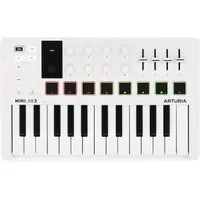
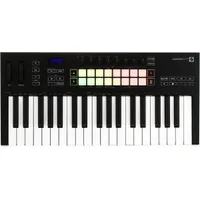
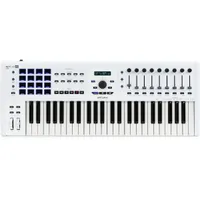
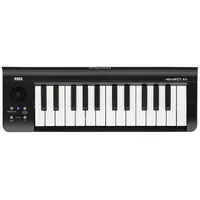
How to choose

There's a massive amount of MIDI keyboards available in the modern age, which can make picking one a difficult decision. When we first started making music in the early noughties, there wasn't all that much choice, but thanks to the huge advances in tech you can now get a very full-featured MIDI keyboard for relatively little money.
We can make all the recommendations you want, but ultimately it's down to you to decide. Having had a lot of experience helping musicians in the music retail space, here are the steps we recommend to help you pick the best MIDI keyboard for your individual needs.
1. What are your needs?
MusicRadar's got your back Our team of expert musicians and producers spends hours testing products to help you choose the best music-making gear for you. Find out more about how we test.
First of all, you need to consider your music-making goals. Are you making EDM exclusively on the computer? Or are you making prog-rock epics with complex arrangements? These goals should inform what you go for, which is why we've arranged this guide by use case. Of course, you might have multiple requirements, in which case you'd be best served drawing up a shortlist.
2. Read reviews
Now you've got your shortlist, it's time to learn more about your top picks. Reading reviews can be a great way to gather more information, as the reviewer's experience with the MIDI keyboard should give you some insight into what you're likely to get from it. Just be mindful that not all reviews are unbiased like ours.
3. Do a direct comparison
If you've further rounded down your choices, you can do a direct comparison. This could be reading a versus piece like our Akai MPK Mini vs Arturia MiniLab, or by manually noting down specs to compare one to the other.
4. Choose your retailer
Hopefully, you've narrowed down your selection now, so it's time to look at retailers and see where it's available. You might want to check a few different places to get the very best price, and you can use the filters on the website to help with this. Google Shopping also has a feature that lets you see the price of an item at all the places it's available which can be really handy for bargain hunting.
5. Wait for a sale
If you're not in a hurry to get your hands on a MIDI keyboard, waiting for some Black Friday music deals can be a great way to grab a bargain. As well as Black Friday there are Labor Day, Memorial Day, and Amazon Prime Day which are all good opportunities to pick up gear for less.
FAQs
How many keys do I need?
The best MIDI keyboards featured here come with octave shift buttons, meaning that the full range of note pitches is accessible even from a 25-key device, just by pressing a couple of buttons. That said, if you’re a more advanced player, or want to learn how to play two-handed, it’s better to go for a four octave (49-note) or five octave (61-note) keyboard. If space isn’t an issue, you can even opt for an 88-key, piano-sized controller if desired. For basic melodies and chords, a smaller keyboard will work just fine though.
What key size do I need?
For simple inputting of drum beats, simple bass and melody lines and basic chords, smaller MIDI controllers with mini keys should do the job just fine. These have the advantage of being cheaper and more portable than their larger brethren and take up a smaller footprint on your work surface. These days, some people find that mini keys can be just as responsive and easy to play as full-size versions.
If, however, you’re coming from a piano or keyboard background, you will possibly require the more traditional playing experience provided by full-sized weighted keys. Thankfully, there are options for everyone.
What's the difference between synth action, semi-weighted, and fully weighted keys?
Synth action keys feel lightweight and fast, sometimes referred to as springy. Semi-weighted keys offer a little more resistance, where fully weighted keys offers a lot more resistance, aiming to mimic the feel of playing on a grand piano.
Do I need aftertouch?
It all depends on what you want from your music making. If you're interested in vibrato, filter sweeps or pressure-controlled modulation from your synth patches then you should go for aftertouch, if you're not sure what any of those are, then don't worry about it.
Do I need pads and extra knobs?
It really comes down to personal preference, but in my experience once you've gotten a bit more experience with your MIDI keyboard, you'll really want to use those extra knobs and pads. They offer a different way to interact with your DAW, letting you control parameters without having to use your mouse and keyboard which can really speed up your workflow.
Similarly pads for inputting beats can feel a lot more inspiring in the heat of the moment, and allow you to be a lot more creative with your beatmaking.
Which MIDI keyboards work best with my DAW?
It all depends on your DAW. In this guide I've highlighted some popular choices for users of Ableton, FL Studio, and Logic, but most MIDI keyboards now come with some form of DAW control.
What is DAW integration?
Being able to control the transport of your DAW and adjust the parameters of your software instruments from your keyboard rather than your computer is always handy. Once you’ve added remote transport - i.e. via a physical keyboard or controller - you’ll struggle to go back to your mouse for actions like playing, pausing and record arming. If you stick to one DAW and find a controller which boasts deep integration - and many do nowadays - then you’re in for a treat.
What connectivity do I need?
With a lot of producers now working ‘in-the-box’ on a single computer or laptop, you don’t necessarily need a MIDI output unless you have some hardware MIDI synths to connect it to, but some controllers do come with traditional 5-pin MIDI out ports. Smaller, mini jack TRS MIDI outputs are also becoming more popular and offer the same functionality. All controllers in this guide can be powered via the USB port, and if you want to play proper piano parts, a sustain pedal input is a must.
Can I learn piano on a MIDI keyboard?
Yes you can, but an actual piano offers a very different playing experience from a MIDI keyboard, so don't expect to immediately be able to transfer the skills over. What you learn in terms of chords, scales, and notes will apply either way, but the weighted keys of a piano require a different playing style than that of a MIDI keyboard.
Key terms
- Aftertouch: A keybed feature that uses pressure sensitivity to add additional expression like vibrato or filter sweeps by pressing harder on the key.
- Arpeggiator: A feature that allows you to play patterns or scales by pressing a single key.
- CC (Control Change): A type of MIDI used to control certain parameters like volume or panning.
- Chord mode: A feature that lets you play full chords by pressing a single key.
- CV/Gate: An analogue control system that allows you to connect MIDI keyboards to modular or regular synthesizers.
- DAW (Digital Audio Workstation): The software you use to create music.
- Faders: Slider controls used for adjusting parameters.
- Hammer action: A type of keybed that aims to recreate the feel of a grand piano.
- Keybed: A general term for the keys, action of the keys, feel, or responsiveness.
- MIDI (Musical Instrument Digital Interface): The communication system that lets musical instruments 'talk' to digital devices.
- Octave shift: Buttons that move the entire pitch of the keyboard up or down an octave.
- Pads: Square, velocity-sensitive buttons typically used for inputting beats.
- Pitch bend wheel: A wheel that allows you to change the pitch up or down by a certain amount.
- Polyphony: The number of notes a controller can play at any one time.
- Semi-weighted keys: A key action that's lighter than fully weighted or hammer action, but heavier than a synth-action keyboard.
- Sustain pedal input: An input that lets you add a sustain pedal for holding notes and chords.
- Synth action keys: A lightweight, springy key action typically found on synthesizers.
- Touch strip: A touch-sensitive slider used instead of a jog wheel.
- Velocity sensitive: A key that reacts differently depending on how hard or soft you press it.
Why trust us
✔️ Over 100 MIDI keyboards tested
✔️More than 9,500 reviews on-site
✔️17 years of product testing
Since 2007, MusicRadar has been helping musicians of all kinds, whether they're guitarists, drummers, producers, keyboard players, or DJs. We've been testing music gear for a long time, and our team of highly experienced industry professionals collectively has over a century's worth of knowledge from real-world music-making.
MusicRadar has been the go-to place for musicians looking for the latest news, best gear reviews, and how-tos for 17 years and counting, irrespective of your particular instrument or favourite music genre.
As well as providing the best online music content, MusicRadar also hosts content from stalwart magazine brands including Future Music, Computer Music, and eMusician. We receive three million visitors per month, making us the preeminent destination for music makers and lovers worldwide.
Meet the experts
Matt has been recording bands since the mid-noughties, cutting his teeth with an M-Audio M-Track 2 and a copy of Cubase on Windows XP. Since then, he's used countless MIDI keyboards to record music for artists across the UK, covering everything from djent to jazz. As a MusicRadar writer, Matt has reviewed over 50 different products, including interfaces, studio monitors, studio headphones, MIDI keyboards, and more. Before becoming a writer, he spent five years in the music retail industry working for Dawsons Music and Northwest Guitars, providing expert advice to musicians. He’s currently studying Music Production & Mastering at Spirit Studios in Manchester, UK.
Si is the Managing Editor of Music Technology at MusicRadar and former Editor-in-Chief of Future Music, Computer Music and Electronic Musician. He's been messing around with music tech in various forms for over two decades. He's also spent the last 10 years forgetting how to play guitar. Find him in the chillout room at raves complaining that it's past his bedtime.

Andy is an expert on music production and technology having started out writing for Music Technology magazine in 1992. He has been an editor for Future Music, Keyboard Review, MusicTech, and Computer Music, which he helped launch in 1998. He regularly reviews gear for MusicRadar, ranging from the best audio interfaces and synthesizers to pro studio hardware and software.

Dave has been making music with computers since 1988 and his engineering, programming and keyboard-playing has featured on recordings by artists including George Michael, Kylie and Gary Barlow. A music technology writer since 2007, he’s Computer Music’s long-serving songwriting and music theory columnist, iCreate magazine’s resident Logic Pro expert and a regular contributor to MusicRadar and Attack Magazine. He also lectures on synthesis at Leeds Conservatoire of Music and is the author of Avid Pro Tools Basics.
Jon is a London based platinum award winning mixer, producer, composer and club remixer with a diverse CV that spans dance, pop, rock and music for media. He’s also a long term contributor to MusicRadar's music technology tutorials and reviews. Whether working alone or collaborating he usually handles final mixdowns, so you’ll also find MusicRadar peppered with his handy mixing tips.
How we test

MIDI keyboard controllers come in all shapes and sizes, from small-form desktop units with few controls, right up to 88-note larger keyboards with weighted piano-action style keys. Obviously price is a factor, so we weigh up all of the controls – knobs, sliders, pads and keys – versus the price paid and what style of player the keyboards are aimed at. This can range from the mobile producer, who just needs a small wired or wireless keyboard to throw into a shoulder bag, to the more advanced player who requires the aforementioned professional standard keyboard and where mobility is not so paramount.
Like audio interfaces, MIDI keyboards should be easy to set up – hopefully plug and play – and many also come with software bundles to get you up and running in music production. Again, we'll look at each of these bundles, which usually represent hundreds of $/£ of software, seemingly thrown in for free, to see how they really do shape up.
Finally, of course, the actual controls and keyboards are also tested to see how responsive they can be. Keyboards, particularly at the lower price point, can be very cheap in feel so we also test how well they play for velocity (volume) and aftertouch (when you press the keys down further to trigger different sounds and effects).
It's fair to say that the more you pay, the better and more piano-like this response, and the more controls you get, although as with cheap audio interfaces, there are some great controllers out there for less than $/£100.
Read more about how we test music making gear and services at MusicRadar.
Latest updates
23/07/26: A new product has been added, with the Expressive E Osmose CE marking a new product entry for the guide in the MPE controller category.
05/03/26: The guide has been given a top-to-bottom update, adding a 'who it's for' boxout, sections for the product entries, new specifications, a 'ratings scorecard' section, and a brand new 'why trust us' section. A new product, the Arturia Keystep 37 mk2, has been added to the product entries.
19/01/26: The introduction has been condensed to make it easier to understand, and a fresh header image has been added for a new look. The Arturia Keystep Mk2 has been added to the 'also tested' section.
