NAMM 2026: Since Roland launched its original Go:Mixer, back in 2017, the demand for devices that enable you to record multiple high-quality audio sources to your smartphone - for video or anything else - has only increased.
Livestreams and social media ‘reels’ are, of course, the new rock ‘n’ roll (OK, they aren’t) and being a ‘content creator’ is now an actual job (though probably not one that your parents will understand if you try and tell them what it is you do for a living).
So now, after a couple of Go:Mixer Pro devices, Roland has introduced its most comprehensive model yet: the Go:Mixer Studio. Said to be a “studio-grade audio mixer and recording interface,” this is compatible with iPhone, iPad Mac and Windows, though there’s no mention of Android.
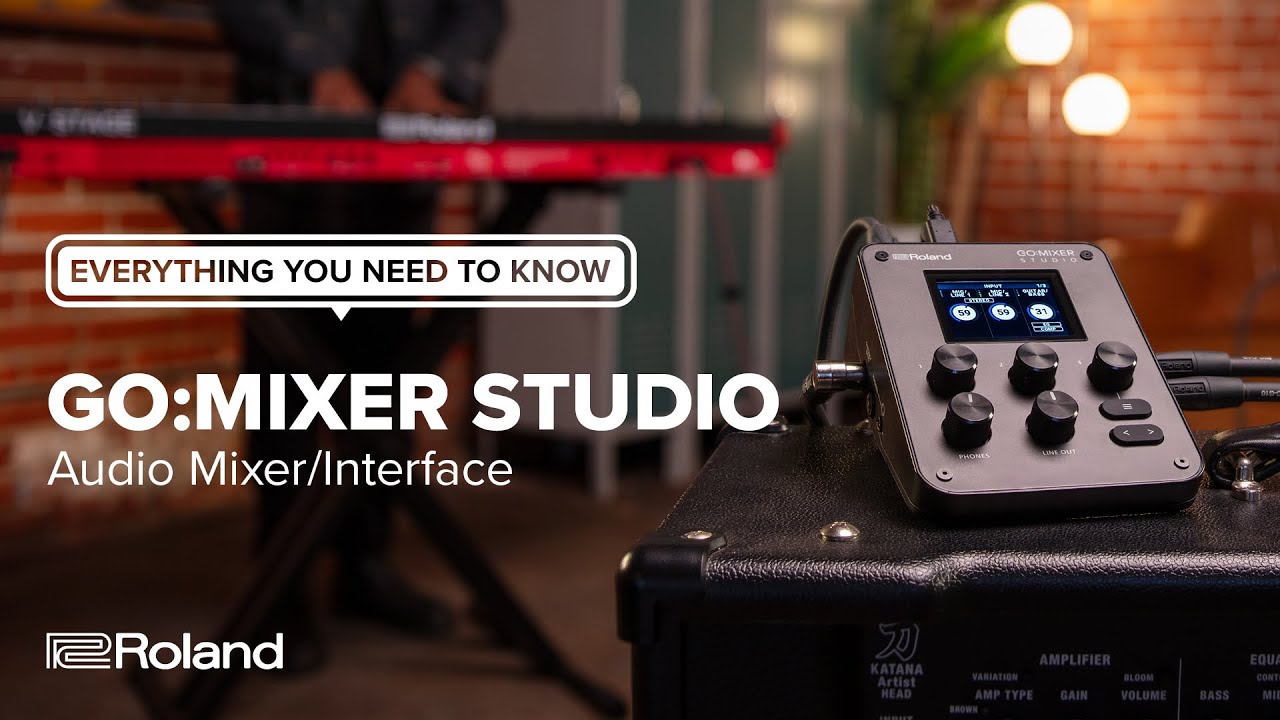
Go:Mixer Studio has 12 input channels and six outputs, and you can record at up to 24-bit/192kHz quality. There are also built-in effects - a 3-band EQ, a compressor and a reverb - which can be used for recording or just monitoring. Mixer setups can be stored in 16 scene memories.
The selection of inputs should cover most eventualities: there are two XLR mic/line inputs with mic preamps; a dedicated guitar/bass input; and 1/4-inch inputs for stereo sources such as a keyboard, electronic drum kit or anything else you might be wanting to record. Further stereo sources can be plugged into the aux input, which has TRRS support for bidirectional audio with mobile devices. There’s MIDI I/O, too.
Monitoring connectivity includes a 1/4-inch headphone jack and a further mini-jack output for your wired earbuds. This supports a headset or inline mic, giving you a further recording source to work with. If you’re back in the studio, you can use the 1/4-inch line outputs to plug into your speaker setup.
The Go:Mixer Studio’s control panel looks nice and clean, with just a few knobs and buttons below the display. You can also take control using the Go:Mixer Cam iOS app, which enables you to capture both multitrack audio and video. Every input can be mixed from here, and you can also export the multitrack audio files for use in your DAW or video editor.
PC and Mac users can also take advantage of the Go:Mixer Editor, which puts all of the device’s parameters on a larger display.
Power can be drawn from your device, an adapter or a USB battery pack (there are two USB-C ports so you can connect and plug in a power supply at the same time) and you can mount the Go:Mixer Studio on a tripod if required.
We can imagine a lot of scenarios where the Go:Mixer Studio could come in handy, whether you’re making video or only recording audio. All it's missing is SD card recording capabilities, but maybe that's something for the Go:Mixer Studio Pro. It’s available now priced at $299, and you can find out more on the Roland website.