


We have become so accustomed to our DAW tools that we often don't stop to consider the positive implications of not using them.
Let’s talk about quantize. For the uninitiated, quantize is the semi-automatic process of locking anything you record into your DAW to a pre-ordained timing grid, meaning that all of your tracks snap together in perfect synchronisation with your set BPM.
Sounds ideal, doesn't it? And while many forms of commercial music rely heavily on the fixed rigidity of quantize, the benefits of not using this operation can be overtly positive too, particularly as AI continues to infiltrate music streaming platforms. Today, listeners are more reassured when they subtly recognise those all-too human qualities in the music they listen to.
The argument for not pressing the quantize button begins with the style of music you want to create.
If your production world revolves around EDM or other electronic forms of production, the sound of heavily-quantized beats, emulating the sort of thing you'd expect from a retro drum machine, is part and parcel of your production lexicon. But that's not to say your other instrumental elements can't be loosened a little.
If your music contains live (or sampled-live) instrumentation - from a topline singer down to a bottom-line bass - there are many advantages to not leaning on quantize - but there is a caveat!
If you're tracking the part yourself, this may mean that you need to attempt to record a part several times in pursuit of the perfect take.
It's the contemporary equivalent of how musicians used to work when recording to analog tape. It's also why good musicians, who have spent many years learning and practicing their craft, tend to attract attention and command generous fees.
To understand the benefits of this undeniably more labour-intensive way of working, we have to ask what it is that we are doing when we click the quantize button?
Take a strummed acoustic guitar; with six strings, it's impossible for all six notes to be plucked at exactly the same time. This becomes even more exaggerated when using a plectrum.
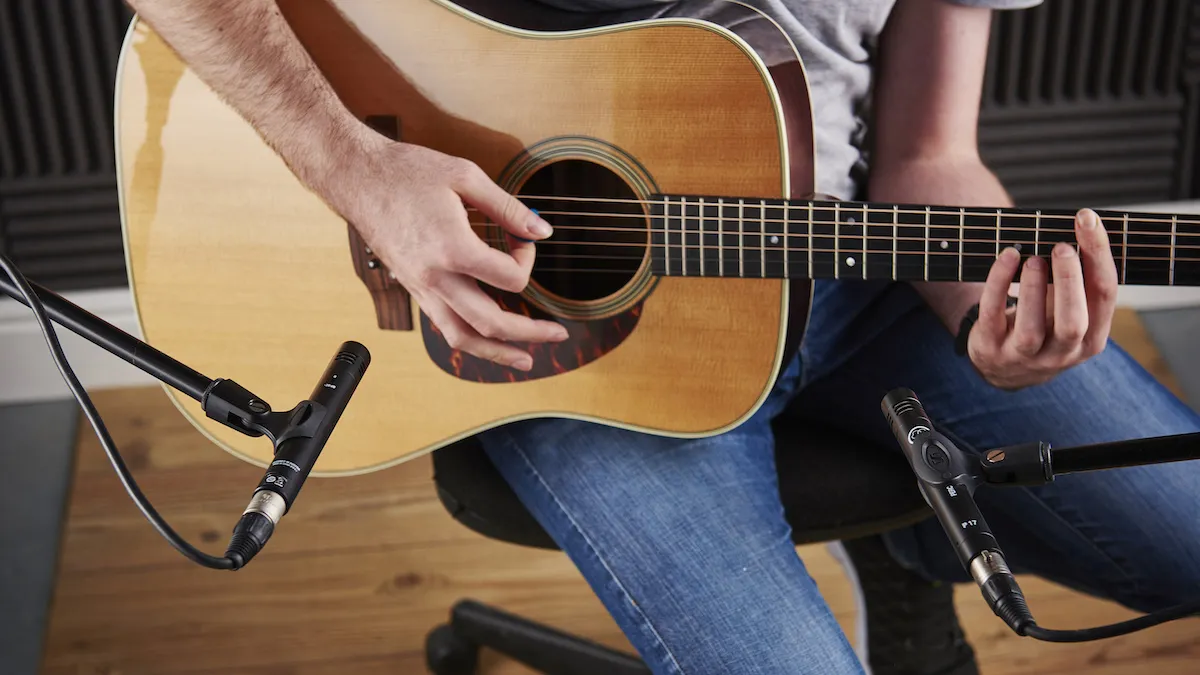
Depending on the upward or downward direction of travel for the plectrum, we will either hear a top or bottom note first, followed by the other notes in the chord.
Admittedly, these notes may only be spread out over a few milliseconds, but our human ear perceives this as a pleasant imperfection - and we like it.
It's the exact same rationale for a pianist playing a chord on a piano.
Even if all the notes are attempted to be played simultaneously, there are still likely to be subtle discrepancies between the timing of each of the notes.
As pianos and some keyboard sounds have a heavy transient at the front of each played note, the staggered timing effect softens the sound that we hear, and just as before, some part of us recognises these failings as a by-product of being human.
You can apply this same ethos to any polyphonic instrument or group of instruments, from horn and sting sections, through to conventional drum kits.
We already mentioned that creating the perfect recording may take a little practice. It could be that your playing skills need some polish, but the good news is there are other ways to approach this concept, using tools within your DAW.
Next time you play a keyboard part, see how it sounds in an unquantized state. It's fair to say that once the light goes red and we start to record, we often find ourselves panicking, and rushing against the DAW metronome.
But, leave your track unquantized and try delaying it by a few ticks or milliseconds, but be sure to listen to your playback with objective ears.
It can be a subtle alteration, but one that can have a significant effect on the sum-of-parts. It’s also just as applicable to recording audio as it is to MIDI.
1. Try adding a small delay to an unquantized part, to improve playback timing.

If the delay approach does not yield the results you hoped for, there is another option that can be exceptionally useful for less experienced players working within the MIDI realm.
Record your part and quantize your recording. Then locate the ‘humanize’ function within your DAW.
Most humanize control panes will provide the option to assign the degree of 'humanize' you wish to apply. This will be dictated by the tempo of your track, as a slower track will require less humanization.
As a starting point, try applying a humanize level of around 10 ticks.
This equates to each note being nudged earlier or later in a randomised fashion, by up to 10 ticks in either direction. You recall our previous pianist analogy? This operation will yield a similar effect.
2. A typical quantized piano part, tight to the grid.

3. Adding small amounts of humanize will make a MIDI performance sound more authentic.

Now… listen!
It’s important to listen back to your work with analytical ears. Really zone in on the part that you want to affect and try different levels of delay or humanization to tilt the sound of your chords to being as unmistakably real-sounding as possible.
