No matter how creative you are, you're likely to have experienced writer's block at least once. All of us go through these periods of creative stasis, where ideas become harder to come by and inspiration begins to feel like a distant memory.
If you're an electronic musician or producer working in Ableton Live, there is no shortage of tools available to help you break out of that creative block. Ableton's generative MIDI tools, introduced last year with Live 12, are a great place to start, but there are hundreds of third-party plugins and Max for Live devices out there that offer fresh and exciting routes to inspiration.
The latest addition to this catalogue of tools comes courtesy of content creator and artist Dnksaus, who happens to run one of the best Ableton-focused music production channels on YouTube. Dnksaus has shared a free Max for Live device called Spawner that offers a simple but effective way to kickstart the creative process.
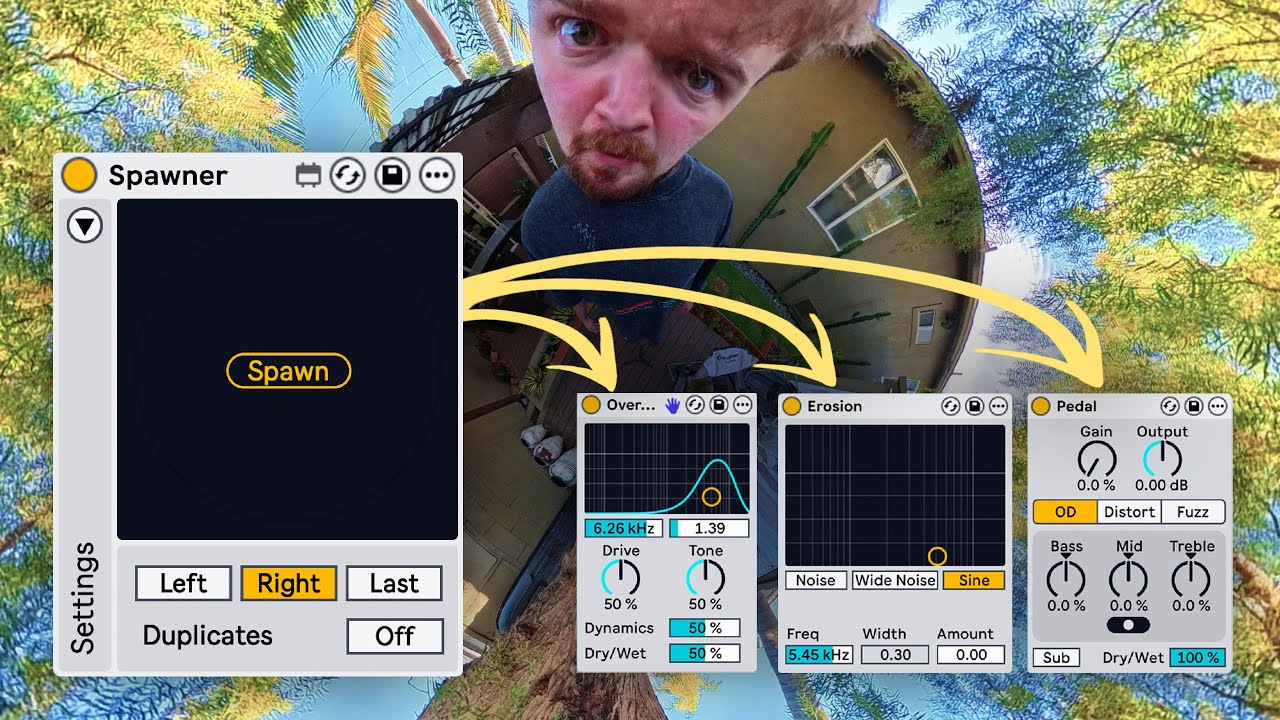
Spawner does exactly what it says on the tin: it randomly spawns an audio effect from Ableton's library of stock devices. Load up Spawner on to your Main channel, map the Spawn button to a keyboard shortcut and save this to your default Live Set. Now you can instantly add a randomly selected stock device to any track with a single keystroke.

Spawner can be customized to load devices before or after the currently selected plugin in the signal chain, and you're able to deselect any of Ableton's 42 available devices if you'd rather it wasn't in the mix – more functional tools like Channel EQ or Utility, for example, can be removed from the pool of devices that Spawner can spawn. (You can also map specific devices to spawn in response to custom keyboard shortcuts, which is a useful workflow hack.)
While Spawner might seem a little basic, this free device is actually a pretty helpful tool for overcoming a creative impasse. Not only will it compel you to explore Ableton's diverse library of superb audio effects, forcing you to experiment with devices you might not typically reach for, but it's also just a quick and easy way of spicing up an existing idea, or coming up with a new one.
Dnksaus suggests a method inspired by producer and music educator Chuck Sutton that involves loading up an instrument or preset that you like, spawning three random stock devices with Spawner and writing a melody or pattern with just five MIDI notes, giving you an instant starting point from which to develop your track.
When you load up a device with Spawner, it'll generate an instance of that device with its default preset loaded, as if you'd pulled it up from the browser. That's fine – especially if you have customized default presets saved for Live's stock devices – but why not venture one step further into the unknown?
Another of our favourite M4L devices, Dnksaus's Parandomizer randomizes the parameters of any device or plugin that you map it to. We suggest combining this with Spawner to create an instant inspiration generator that brings up a random device with randomized parameter values at the touch of a button. (Unlike Spawner, Parandomizer isn't free, but it's only $5.)
Yes, it's a little bit lazy, and no, this isn't a replacement for the process of choosing effects and manually designing the sounds that you want to hear. But if you're stuck in the creative doldrums or even just short for time, this is a fun little trick that might end up creating timbres, textures and ideas that you've never heard before.
Spawner requires Ableton Live 12.3 or newer, and you'll need Ableton Live Suite or the Max for Live add-on for Standard to run any Max for Live devices.
Download Spawner here. You can also support Dnksaus on Patreon or check out his other M4L devices.
