MusicRadar Verdict
Make no mistake, the Quad Cortex mini is everything the Quad Cortex is, just in a smaller box, boasting all the usability and stellar tones that made the original Cortex so popular. In most, but not all cases, the full-size Quad Cortex may still be the best way to utilise all that power live, but as a studio tool, its small, desk-friendly footprint makes the Quad Cortex mini near unbeatable.
Reasons to buy
- +
The full power of the flagship Quad Cortex in miniature form.
- +
Modelling that feels close to the real thing.
- +
Can create and run Neural Captures.
- +
Fantastic array of modulations, delays, reverbs, on top of other outlandish effects.
Reasons to avoid
- -
Expensive compared to other compact modellers.
- -
The drive pedal models aren’t quite up to par with the rest of the unit.
- -
A top made entirely of glass may concern some.
MusicRadar's got your back Our team of expert musicians and producers spends hours testing products to help you choose the best music-making gear for you. Find out more about how we test.
Name: What is it?
There’s nothing quite like the impressive sight of a huge pedalboard hosting an over-the-top collection of carefully curated pedals running into a high-end guitar amp. This indulgence is fun and often worth it, but awkward in a number of ways. Digital amp modelling from the likes of Line 6’s Helix Stadium and Neural DSP’s Quad Cortex provides a way to achieve the functionality of these rigs whilst saving space and doing away with the complicated cable routing and the effort of moving around hefty tube amps.
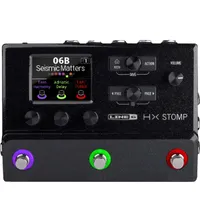
Digital modelling has doubled down on this practicality by turning progressively more miniature over the last few years, as shown by the likes of the Helix HX Stomp, Fractal AM4, and Neural DSP Nano Cortex. The latest addition to this space-saving trend is the product I have in front of me for review - the Neural DSP Quad Cortex mini.
Usually, these smaller offerings would also be diminished when it comes to raw power compared to the flagship products. For example, the HX Stomp can only run eight effects blocks compared to the Helix’s 32, and the Nano Cortex operates as a capture-only device.

This is where the Quad Cortex mini differs, as within its small chassis resides the full power of Neural’s flagship Quad Cortex, with firmware that can do everything the bigger model can.
Space is saved with just the four footswitches compared to the 11 on its bigger brother, and a slightly reduced I/O, of which we have one quarter-inch jack input, one combo input, an effects loop (one x stereo or two mono), one expression pedal input, two XLR outputs, two quarter-inch outputs, MIDI in and out over mini-jack TRS sockets, one capture output, a mini-jack headphone socket and USB-C connectivity.
All this means that it’s quite a different proposition compared to other compact modellers, as it is much closer in function to its bigger brother, but also closer in price. This makes identifying the mini’s place within the modelling world an interesting task. Let’s find out where it sits, if indeed there is a place for it at all.
Specs

- Launch price: £1129 | $1399 | €1290
- Type: Amp modeller and multi-effects
- Features: Amp and cab modelling, multi-effects, Neural Capture V1/V2, creates Neural Captures, 7" touch screen, four dual-function footswitches
- Connectivity: USB-C, Wi-Fi
- I/O: one ¼” input, one combo input, one ¼” TRS effects loop (one x stereo or two mono), one expression pedal input, two XLR outputs, two ¼” outputs, ⅛” MIDI in and out, one capture ¼” out, ⅛” headphone out
- Power: 12V, 1.2A, centre-negative
- Dimensions: 228 x 118 x 65cm / 8.9” x 4.6” x 2.5”
- Weight: 1.5kg (3.3lbs)
- Contact: Neural DSP
Build quality

Build quality rating: ★★★★½
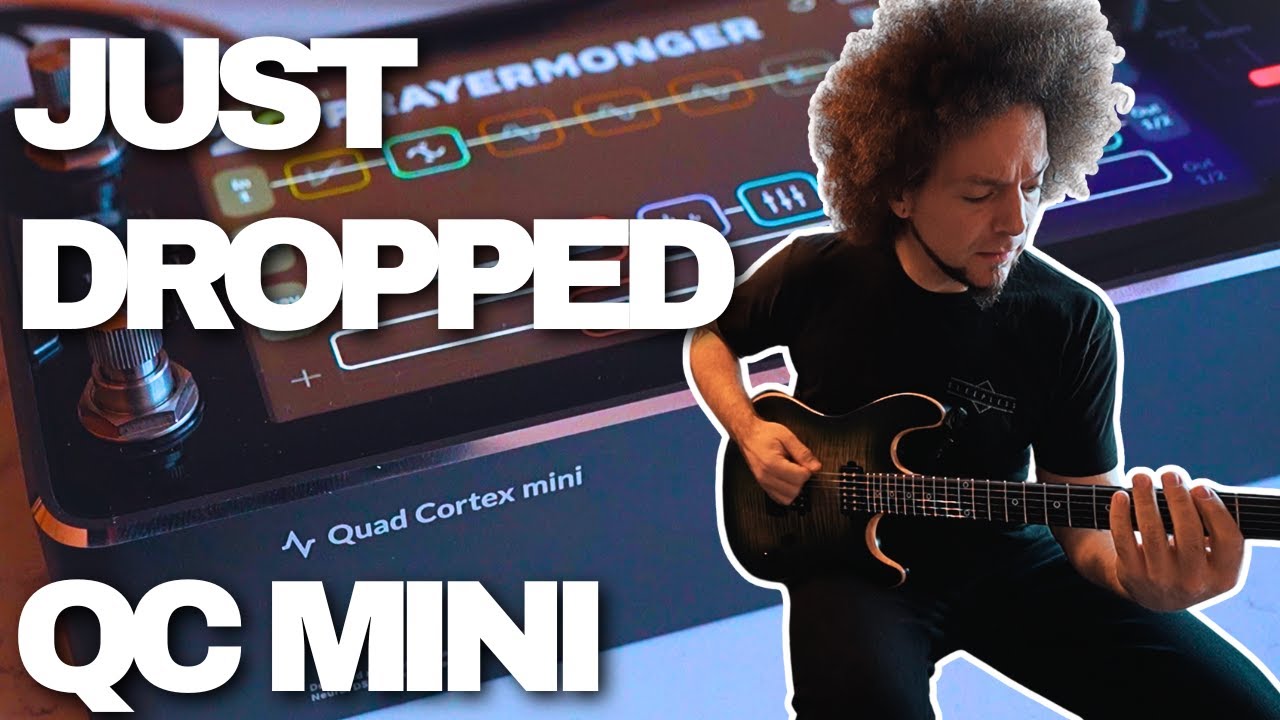
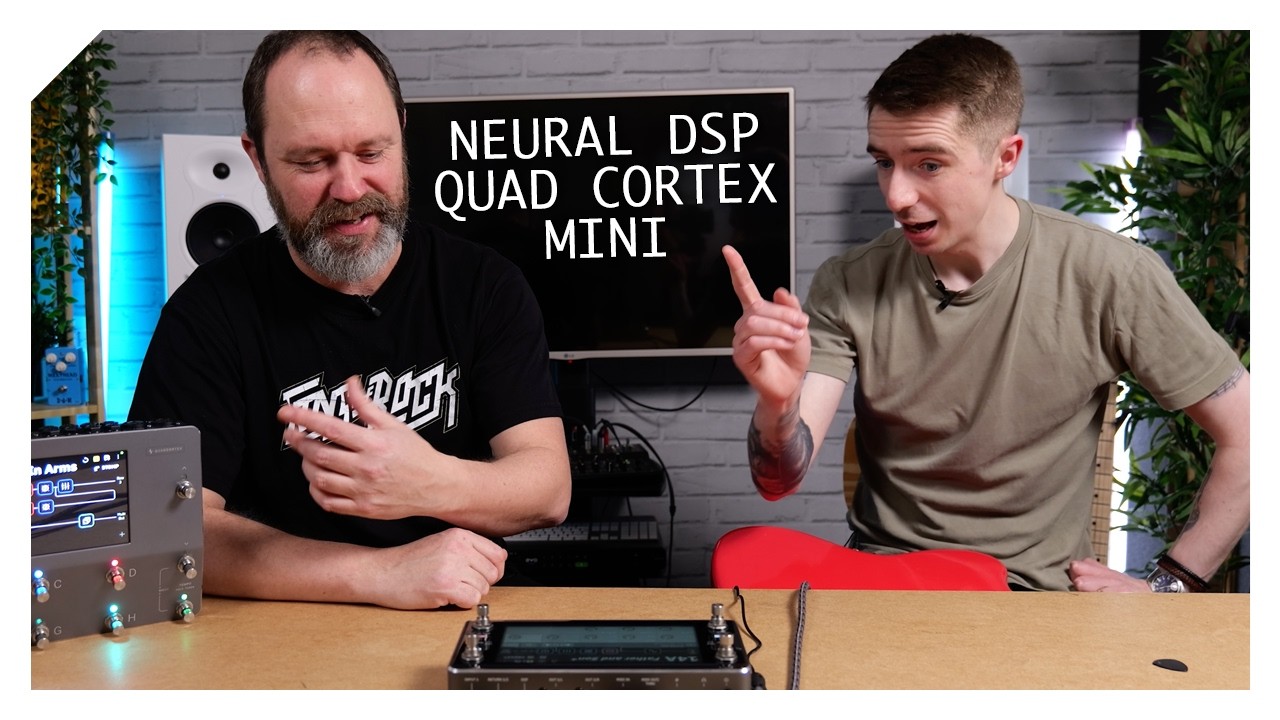
Weighing in at around 1.5kg, it feels fairly hefty to hold for its 228mm×118mm×65mm dimensions. With an anodised aluminium body, it will withstand all the usual abuse of a gigging life, but the top is almost entirely made of glass.
This is mainly to accommodate the seven-inch screen, which is the same size of screen featured on the Quad Cortex. We have four footswitches atop the glass, so it’s fair to question whether it can take being stomped on at hundreds of gigs. In my hands, the glass feels like it has an industrial thickness to it, so personally, I am confident that it is strong enough to withstand significant abuse. Really, what we need is to have someone purposefully try to break it and see what happens, but obviously, we can’t do that.
The screen itself is bright enough that it won't get lost under stage lights, and those footswitches are Neural’s tried, tested, and ingenious dual-function footswitches that also turn so that they work as encoders.

When Neural launched the original Quad Cortex with these dual-function footswitches, some called into question their longevity given their spinning nature. Years later, these have shown themselves to be reliable components. Side note, Neural’s form here is worth bearing in mind for those (understandably) questioning the glass top.
The look of the unit is dominated by that screen, which encompasses the vast majority of the real estate on the top panel. This has already been a little divisive, with some who disapprove likening the aesthetic to that of a car infotainment system.
It takes a little getting used to as its appearance is rather unique for a guitar product, but its black, silver, and grey colour scheme results in what I think is a classy, minimalist feel. However, I understand that this is not for everybody.
Usability

Usability rating: ★★★★☆
The touchscreen isn’t the most responsive
Having spent a lot of time with the Quad Cortex, I have always found the touchscreen to be a convenient place to do almost all the preset building/editing from. The benefit of the mini featuring the same screen is that this functionality translates to the smaller device.
That’s not to say that it is perfect, as, just like the bigger Quad, there are a few functions that aren't obvious from the display. For example, there is no visual indication that gesturing upward brings in Gig View, gesturing down reveals the I/O settings, or that holding parameters assigns their changes to certain scenes (I’ll come back to scenes later).
These are operations that are pretty commonplace in the world of touchscreens, so if you have some prior experience with this type of tech, you could probably figure out the mini without touching the manual. If, however, you are brand new to this - perhaps this is your first modeller with touchscreen menus - a little reading will be required.
The touchscreen isn’t the most responsive on the mini, which is also a common criticism levelled at the Quad Cortex. While it is noticeable, it is far from a deal breaker and doesn’t cause any problems in use. It would just be nice if it were a little smoother.
Adding blocks is easy, with the four available paths clearly displayed on the screen. The icons that represent each effect type make sense, but will take a little extra memorising for those who are not au fait with the audio world. For example, the compression block is represented by a sine wave with arrows indicating that it is being squashed.

We have the familiar Cortex modes - Stomp, Preset, and Scenes, which affect how the footswitches behave. Stomp mode makes the mini akin to a pedalboard, with each footswitch bypassing the individual effect that it is assigned to. Preset mode loads an entirely different rig on every footswitch, and Scene mode allows each footswitch to bypass and adjust multiple parameters within a preset.
Switching from one preset to another will create a gap in audio, so this is where Scene mode is useful. It allows for many things within a preset to be changed at once, without that gap or pedalboard-associated tap dancing. This is where most will live when it comes to playing live.
These modes can be switched between by using the screen or tapping footswitches B and D together, which is helpfully indicated on the top panel. Similarly, Footswitch A and C give you access to a tuner. Tapping two switches at once is always a little awkward, but a sensible compromise for space-saving compact modellers.
The mini’s Etch-A-Sketch-style editing is easier to use than the bigger Quad Cortex
As I mentioned earlier, the footswitches themselves also work as encoders. Here lies the biggest highlight for me, and something which I reckon is an improvement over the original Quad. After selecting a block to edit, its parameters are clearly displayed at the bottom of the screen. Turning footswitch C (bottom left) scrolls through the parameters, and turning footswitch D (bottom right) edits them.
This feels very intuitive. On the bigger Quad, eight of the footswitches are assigned to the parameters on screen, but they don’t always line up well. The mini’s Etch-A-Sketch style editing is therefore easier to use.

The four-footswitch limit is obviously a little limiting when playing live. Each preset can support eight scenes or stomps, but only four are available for immediate access. Getting to the second set of four requires the holding of footswitch B. Holding buttons down is far from ideal in the middle of a song, so you will need to arrange your footswitch assignments or presets strategically if you use more than four core sounds during a gig.
These limitations are bypassed in a studio setting, where gapless preset switching is not all that important. Here, the Quad can connect via USB-C and operate as an audio interface, allowing for monitoring of the guitar sound directly from the mini and therefore eliminating any latency concerns, as well as simultaneously recording that effected signal and a dry D.I for re-amping with the mini later should you change your mind on the tone.
Combine that with the small footprint and sheer power behind the unit, and this is potentially a perfect studio companion for many a guitar player.

Handily, the mini Cortex also boasts built-in WiFi, allowing for easy updating of firmware, as well as compatibility with the Cortex Control app on Windows and macOS. The app's highly visual, drag and drop interface makes editing presets as well as downloading third-party presets and IR’s a breeze.
It’s worth noting that there is no Bluetooth here, which would be handy as it would allow the use of the Cortex Cloud mobile app. However, if you mainly use the mini as a studio tool, the desktop app will have you covered.
Compact modellers and capture devices are often compromised when it comes to usability due to squeezing so much into something so small. The Quad Cortex mini’s seven-inch screen means it does not suffer from this drawback to nearly the same extent. In my opinion, despite a few limitations, this makes it the easiest modeller/capture device to use when it comes to those compact, space-saving units.
Sounds

Sounds rating: ★★★★½
A great user experience means absolutely nothing if the mini doesn’t have tones to match. This, however, is where Neural’s approach of zero compromise when it comes to processing power pays dividends. In other words, the mini is the Quad Cortex in a smaller box, with all the well-documented, stellar tones of the flagship product.
Having played the likes of the Helix Stadium, Fractal AM4, Fender Tone Master Pro, UA amp pedals, IK Multimedia ToneX products, and more, I can say that the Quad Cortex has the edge when it comes to sounds straight out of the box.
For example, the very first preset named Brit 2203 utilises a model of a Marshall JCM800 to kick out that roaring Marshall drive sound with plenty of lows and high-end bite. On the other end of things, the US Twin Vibrato preset emulates the Vibrato channel of a Fender Twin Reverb with that scooped mid feel for addictive shimmering cleans.
The Quad Cortex has the edge when it comes to sounds straight out of the box.
On most amp models and cabinet emulations from Neural’s competitors, I find myself introducing a high cut to get rid of some digital-sounding high end, sometimes going as low as 5-6khz (note, a “cut” is a roll off of frequencies above a set number, not a hard “shelf”). On the Quad Cortex mini, I don’t feel the need to do this. That high-end I would usually look to dial out, just isn’t a problem here. This is partly why it sounds so good out of the box.
This doesn’t mean that there isn’t room for a bit of tweaking. A favourite model of mine is the Friedman 100 rhythm (Friedman BE-100) that excels at the chunky, driven thing, but is a little muddy on its own if you don’t tweak those lower frequencies. It’s the same with the EVH 101 IIIS Red, which is a perfect example of the high-gain goddess available, but it can get a little loose in the low end.

So, particularly as you increase the gain, you may want to tighten up those low frequencies a little. However, I’d expect to be making similar sorts of adjustments on real-life amps; therefore, this is not necessarily a bad thing. If anything, it’s part of what makes the Quad’s models feel amp-like.
Also vital to this feel is the way the models clean up with the volume control and react to picking dynamics, even when running in the land of high gain like the aforementioned EVH 101 IIIS. On both my Fender Telecaster and Gibson Les Paul Classic, it reacted exactly like an amp should.
Modelling is not the only trick up the sleeves of the Cortex range, however, as the units are also capable of running and creating Neural Captures. Recently updated to version two of this technology, we have plenty to play with as Neural provides a host of factory captures with version 4.0 of the CorOS. A highlight for me is the Dumble Captures.
With 30 versions of this amp to choose from, there are plenty of options that range from that roaring, mid-forward Dumble drive to the sparkling clean. The transients on the Dumble Captures don’t come through quite as harshly when compared to the Dumble ODS model, meaning it’s a much more forgiving experience to play, and still cleans up remarkably well on the volume control.

With this way of doing things, you are somewhat at the mercy of the person doing the capturing, as you have little tweaking available after the fact. Just Gain, Bass, Mid, and Treble with a more limited range than you will find on an amp model. However, the Factory Captures here prove that the technology works and does an impressive job.
The drives, however, don't quite live up to the sound of the rest of the unit. The Green 808 (Ibanez Tube Screamer TS808), for example, has the recognisable mid-hump of the real thing, but lacks that cushiony, compressed feel. Similarly, Fuzz Faces are known for their ability to clean up well, but the equivalent model in the Quad - the Facial Fuzz - gets quite muddy when I dial back the volume control on my guitars, and generally sounds thinner next to my Fuzz Face mini.
The drives don't quite live up to the sound of the rest of the unit
It’s not all bad, though. The Rodent Drive (Pro Co Rat) is a full and gnarly saturation that is a ton of fun for Blur-inspired riffage, and the Obsessive Drive (Fulltone OCD) is a Marshally overdrive, boasting the full and fat sound of the pedal that it’s inspired by.
Things are back to Neural’s usual high bar with the delays, of which we have nine, or 15 if you count the Stereo duplicates of the mono versions. So it’s not a huge amount of choice compared to other modellers (for example, the Fractal AM4 has 27), but there is everything in here that you will need, from simple analogue delays to trippy reversed repeats.
I like my delays to be relatively dark so as not get in the way of the original signal, meaning that it’s no surprise that I find the Analogue Delay to be my favourite. It boasts those warm repeats I am after, whilst staying tweakable with Mix, Feedback, High Pass, Low Pass, Delay Time, Mod Rate, and Depth controls.

For something designed to be a little more forward in the mix, the Digital Delay is a good choice. With repeats that remain a little clearer than the Analogue Delay and retain the same tweakability, it’s perfect for some dotted eighth acrobatics.
Getting into the more outlandish sounds like the Reverse Delay, it easily exudes that wooshy, trippy feel present in some of that Hendrix style weirdness. With extra controls to adjust the way it plays back the reversed version of your signal.
Reverb features the usual suspects like Room, Hall, Plate, and Spring, as well as some more out-there tones like Blossom.
They all wrap the sound in a lovely space, which is just plain addictive. Spring, for example, kicks out some great surfy drippiness, and Hall is a subtler verb adding just a little space. Both are highly tweakable with the usual and reverb type-specific controls. Hall, for example, has the usual Mix, Decay Time, High and Low Pass, and the Spring has Mix, Damping, Tone, and Boing for the drip. It's very easy to immediately land on usable and highly rewarding sounds.
It's very easy to immediately land on usable and highly rewarding sounds
My favourite reverb is Cave, which has a subtle sort of shimmer on top of a verb that sounds a little hall-like. In other words, it’s a shimmer reverb for those who don't like shimmer reverbs.
And of course, we all need some modulation in our lives, and the mini has plenty to fulfil anybody’s needs. The Chorus Engine, for example, is fantastic for that 80s magic. Like the reverbs, it’s highly tweakable with Mix, Rate, Delay, Depth, Morph, Random, Voice, and Tone controls. My favourite setting is a fairly bright chorus (tone up) with some lush chords.
Another winner in my book is the MX Phase 95, which is based on the MXR Phase 45 and Phase 90 pedals. For Van Halen fans, it’s perfect at serving up those high-gain tones that need a little movement, but also features additional controls that allow for syncing the effect to tempo.
There are more outlandish effects in here, too, exemplified by the likes of the Freeze effect. Here, the player strikes a note which is then held by the effect and can be adjusted with Attack, Release, Dry Gain, Freeze Gain, and a High and Low Pass. On top of this, you can then noodle away to your heart's content. It’s endless fun, and a genuinely usable creative tool.
As someone who is often emulating keyboard parts in bands, the Rotary effect is a great addition. However, it is lacking a bit of beef as it sounds a little thin compared to some of the other rotary effects from competition like Line 6 and Fractal.
Something that the Quad Cortex mini (and bigger Quad) does better than other modellers is in the Synth sound. It works as an oscillator built for single note playing with an arpeggiator and filter. The result is a warm, super-compressed, fat-sounding synth that can be tweaked to get wild.
The one drawback to the synth is that it is incredibly sensitive, picking up even the tiniest pick scratches against the strings as you pluck and end notes. This resulted in some unwanted squeaks interrupting lead lines, as the sensitivity doesn't go low enough to avoid this. The only way around this is to pick with a flatter angle on the pick or use fingers.
Compressors and gates may not be quite as exciting, but they are both essential to great guitar tone and are well served in the Cortex lineup. The Opto Comp, for example, has the usual Threshold, Ratio, Attack, Release, Makeup, and Mix, and manages to do everything from extreme squahiness to a subtle reduction of audio peaks, without colouring the tone too much.
In short, there is a lot on offer in the mini. The last thing that deserves a mention is the Transpose function. In single note playing, it tracks well throughout its two octave range (one octave either way). On more sophisticated chords, you are good to around four semitones in either direction before you get any unwanted warbling. Impressive.
Verdict

The mini, then, is an interesting unit. It boasts the full power of the bigger Quad Cortex, but also a price that reflects this, too. Making it a significantly bigger investment, and therefore a different proposition when compared to other compact modellers/capture devices.
Firstly, in live use, the compact size means a compromise in the number of footswitches, limiting the number of sounds immediately available while playing.
A way around this is to use some external effects or something like a MIDI switcher. For example, when I’m running a compact modeller/capture device like the Fractal AM4, ToneX Pedal, or Nano Cortex live, I will often have an Ibanez Tube Screamer, Way Huge Blue Hippo Chorus, Dunlop Crybaby Mini Wah, and Hotone Ampero Switch running alongside.
The result is an expansion of the sounds available at my feet, whilst allowing me to take advantage of the great tones within those modelling/capture devices and pedals that I love using. Furthermore, this usually leaves a good chunk of change compared to the price of the flagship units.
If you are only using it as a pedal platform, you’re not getting the full benefit of the processing power you are paying for.
However, the cost of the mini is so close to the bigger Quad Cortex that this doesn’t work here, as there’s not much scope for adding extra devices before you’d be better off getting the original Quad. And if you are only using it as a pedal platform - as a lot of people do with this type of small modeller - you’re not getting the full benefit of the processing power you are paying for.
However, if you are someone who only uses a few sounds live, but those sounds are in-depth, perhaps requiring running multiple amps and cabinets, the power of the Quad mini allows you to do this without the DSP worries of other compact digital units.
And, when it comes to studio work, the mini really shines. It’s all the power of the Quad Cortex, in a tiny package that can sit on a desk and act as the ultimate interface for the guitarist.
MusicRadar verdict: Make no mistake, the Quad Cortex mini is everything the Quad Cortex is, just in a smaller box, boasting all the usability and stellar tones that made the original Cortex so popular. In most, but not all cases, the full-size Quad Cortex may still be the best way to utilise all that power live, but as a studio tool, its small, desk-friendly footprint makes the Quad Cortex mini near unbeatable.
Test |
Results |
Score |
|---|---|---|
Build quality |
The glass top may well be disconcerting for some, but it's a sturdy feeling unit nonetheless |
★★★★½ |
Usability |
Compact units are always a little harder to use, but that 7" screen pays dividends in this regard |
★★★★☆ |
Sounds |
Renowned amp modelling and effects, although some of the drives could be a little better |
★★★★½ |
Overall |
A little narrow in potential use cases within a live scenario, but a fantastic studio companion |
★★★★½ |
Also try
Hands-on videos
Neural DSP
The Studio Rats
Rabea Massaad