
MusicRadar Verdict
If you find yourself regularly mixing and mastering, Stereovault could easily become one of the most beneficial elements of your mastering suite. Results are instant, but always be sure to listen before committing.
Pros
- +
Incredibly intuitive and easy to use stereo width solution
- +
Allows total control, as well as analysis tools
- +
Can offer some serious benefits at the mixing and mastering stage
- +
It's very affordable!
Cons
- -
If not used carefully, it can seriously undermine a mix, through over-application
- -
Using alongside a coherent monitoring setup is advisable
MusicRadar's got your back Our team of expert musicians and producers spends hours testing products to help you choose the best music-making gear for you. Find out more about how we test.
What is it?
Mastering the Mix has built a reputation for plugins that focus on helping anyone making music on computer, to engineer smarter mixing decisions, rather than just constantly adding processing.
In the latest part of their mix-chain, it turns its attention to one of the most difficult elements to control, relating to stereo width and panorama.
Stereovault is a plugin which is available as a single purchase, although it will be easily integrated with other Mastering the Mix plugins.
If there is one company which wears its branding on its sleeve, it has to be Mastering the Mix, although it's important to note that, as this is a single plugin, it can be used in channel, sub-mix (bus) or master fader situations, as well as forming part of the final mastering process.

Performance
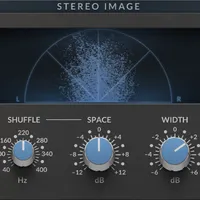
Upon loading Stereovault for the first time, its visual guise makes it incredibly easy to see exactly what's going on. The display adopts an X/Y format, with frequency response being displayed from bottom to top. Lower frequencies unsurprisingly populate the lower portion of the display, so you can guess where the upper frequencies reside - up top.
The frequency plot is then divided into four sections, which can also be altered to suit your frequency band preferences. Within each band, you simply adjust the width parameters by clicking and dragging to hear the immediate effect of the broadening or narrowing of each particular band. It's a surprisingly simple process, with even more surprising results.

Don’t overcook it!
As is the case for any new plugin, we quickly found ourselves pushing things to an extreme, to establish the overall effect, and whilst there are considerable benefits to be had, it is also possible to completely undermine a mix.
A case in point: overextending the bottom-end of a mix too broadly can completely destabilise the foundation of a track, but adopting a similar technique with upper frequencies can really make a track shine.
If you feel that you need a little bit of help in this regard, Stereovault is on hand. Thanks to its included analytical tools, Stereovault can listen to your track and make some sensible suggestions. The plugin does ask for some input along the way, such as whether or not Stereovault is being used on specific instrumentation or a wider mix, and also suggestions for the style of music.
At this stage, it does present a minor challenge, as there are only five styles of music presented initially. Some of the tracks that we used as audition mixes could be described as jazz or cinematic, neither of which is represented in this situation, leaving us to make a best guess. It's not a huge problem, as you can select the next best genre and tweak-as-you-go, but it underlines the need to listen at all stages, because it is conceivably very easy to click a few buttons and find your mix in a state of flux.
Talking of flux, the Creative section pushes things further into sound-design territory. The included modes can dramatically reshape material, adding movement and cinematic depth to otherwise static sounds. Used subtly, they provide excellent dimensional enhancement.

Level matching
One familiar problem relates to monitoring levels, and the temptation to increase your listening volume while working. This will almost always result in your ears telling your brain that your mix sounds much better than it is. As any mix engineer will tell you, it's very much a false economy.
Stereovault provides a level-matching setting, meaning that once you have applied any processing, there is no discernible change in volume. Perfect!
Verdict
Stereovault really does have something for everyone. You can engineer a considerable degree of control, or take advice from the plugin. Either way, listening is fairly essential, but it is also packed with some useful presets, which can offer some good starting points.
It is also capable of taking mono signals and making them sound mightily wide and impressive, which can be particularly useful for clean guitar or monosynth signals.
Stereovault could easily become an indispensable plugin, although our view is that it will feel more at home on the backend of most signal chains, which isn't entirely surprising, given its position in Mastering the Mix’s portfolio.
Hands-on demos
Mastering The mix
Alternatives

Specifications
Price |
£59 (or for £324.50 as part of Mastering the Mix bundle
|
Operating system |
MacOSX and WindowsPC |
Format |
AU, VST3 & AAX plugin formats |
Contact |
