
PLUGIN WEEK 2026: There’s no question we’re definitely spoilt for choice when it comes to plugins, and as developers continue to get ever more creative, or unearth ever more esoteric hardware to emulate, sorting the wheat from the chaff becomes harder and harder.
The best way to negate option paralysis (and get the best out of the plugins you already have) is by developing a stock set of favourite or ‘golden’ plugins. That’s just what I’ve done.
Some more complex tasks might require a helping hand from other plugins, but in general terms, these 6 go-tos typically serve me just fine when working on my projects.
So here are my particular 6 choice plugins - along with my reasons for liking them and keeping them close…
1. Waves Doubler

One of the oldest plugins in this list and in my setup, Waves Doubler is a plugin I always come back to.
It’s very easy to use and, to be fair, it is a bit of a one-trick pony. But what an excellent trick that is.
Built along similar lines to the classic Eventide H3000 micro pitch-shifting effect, it comes in two and four voice plugins that provide, rather unsurprisingly 2 or 4 additional voices respectively. I said it was simple.
It’s an additive effect and the interface includes control of the dry signal and additional voices so it’s easy to use as either an insert or auxiliary. Other options include 2-band EQ and modulation. There’s a bunch of great presets with plenty of producer contributions too.
Doubler is great for adding width and richness to sounds, and with fast and deep modulation settings can produce some quite weird outcomes. Nevertheless, my favourite effect is a lot more subtle and uses the 2 voice version with a static micro pitch shift on one side and a slowly modulation pitch shift on the other. This is particularly good for vocals but also works well for adding width and richness to other instruments.
2. Soundtoys Decapitator

Soundtoys Decapitator sounds like a pretty destructive plugin, and at extreme settings it can certainly do plenty of damage. But it’s far more flexible than the name implies, and is an excellent tool for adding a bit of audio interest when everything is sounding a bit sterile.
The engine is built around 5 main saturation circuits. Each models a specific and fundamentally different piece of hardware and is designed to create the complex harmonic behaviour and dynamic response they produce.
These include the valve-based Ampex 350 tape machine preamp (A), the Germanium translator-based Neve 1057 input channel (N) and the Chandler/EMI TG Channel (E).
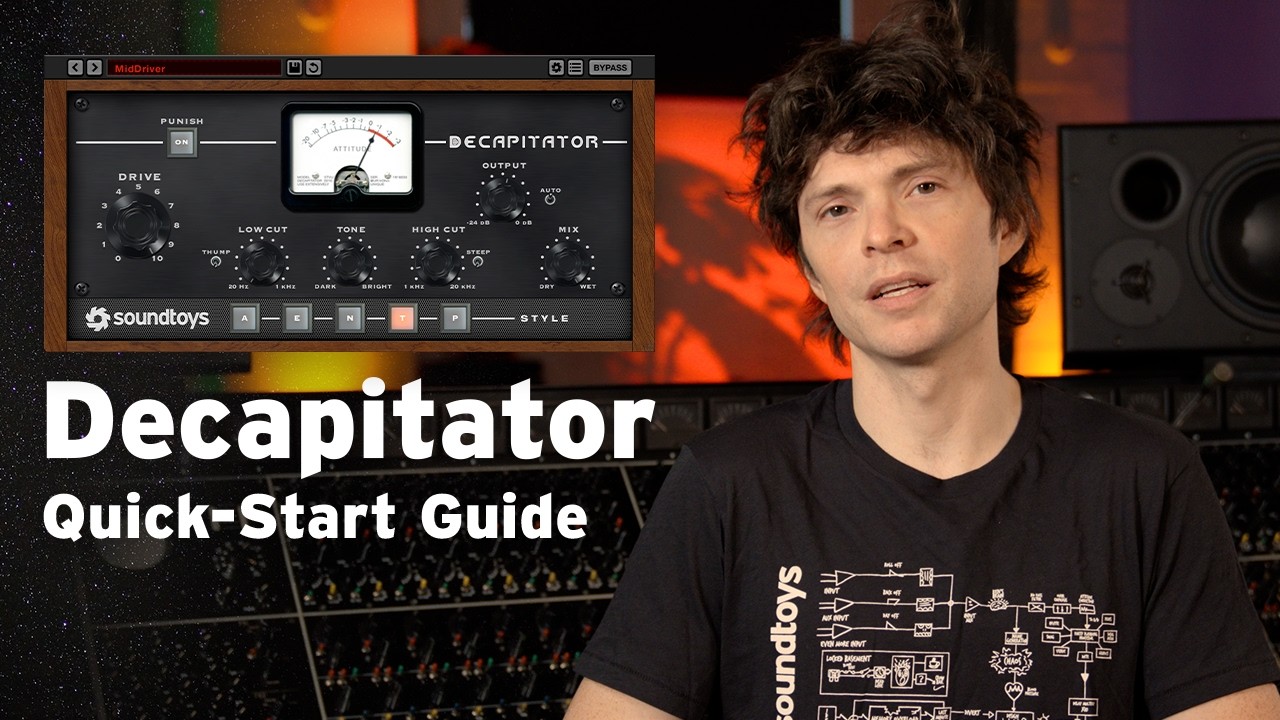
Rounding things off are two modes from Thermionic Culture’s Culture Vulture, based on triode (T) and pentode (P) topologies. Further options include low and high pass filtering, and overall tilt style EQ and of course input drive.
All told it’s a slightly oddball plugin that delivers a broad palette of sonic goodness. It’s great for adding weight or grit to bass, fatness to drums and beats, and anything from mild to heavy harmonic distortion to pretty much anything.
However, I like to use it subtly across multiple tracks. This is great for adding flavour and provides the perfect antidote to those pristine DAW-based productions.
3. UAD EMT 140

You’ll find plate-style reverbs in many reverb plugins. However, if you’re looking for a plugin that gets properly close to the richness and depth of the original hardware, then a quality hardware emulation is the way to go.
The UAD EMT 140 is in my opinion the best, and much like the original hardware creates a wonderfully spacious effect. Based on the stereo version of the hardware (EMT 140 ST) the plugin actually has 3 different plate emulations.
Two are based on two different valve-based originals, and one on a Martech upgraded unit. In practice this means you get to choose from 3 quite different sounding plate effects. Much like the original you can adjust the reverb time using the damper controls, meanwhile you also get access to the internal shelving and high pass filters relevant to both the original and Martech designs.
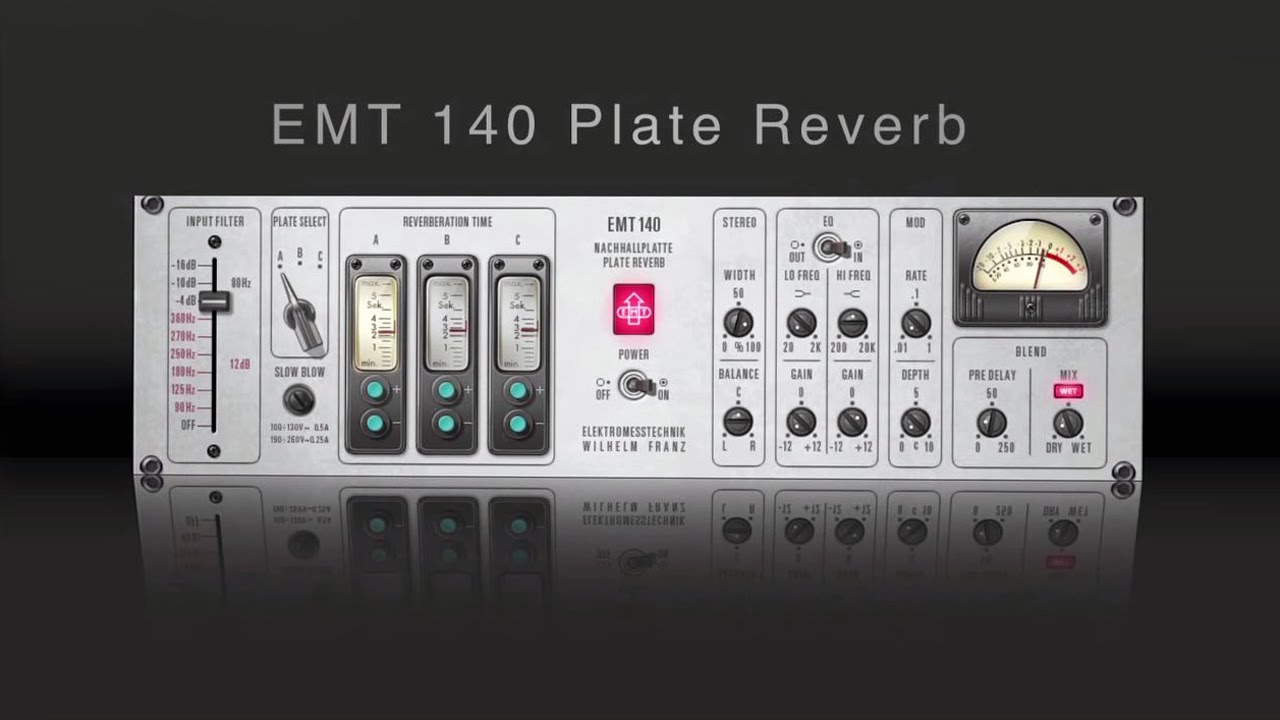
In typical plugin style the whole package then gets a load of extra features that go beyond the original hardware. These include 2-band EQ, modulation, width control, left/right balance, and wet/dry mix.
There’s also a built in pre-delay, something which is not part of the original hardware. The EMT 140 is surprisingly flexible, increasing the damper setting achieves great shorter reverbs perfect for punchy back beats, and medium settings can be great for vocals. But if your track has the sonic space, then my favourite application is a longer setting for the classic shimmering and lush plate reverb.
4. Cableguys ShaperBox 3

Often we want a creative effect that does something unexpected or out of the ordinary, and although it’s perfectly possible to piece together individual processors to create a bespoke outcome, an all-in-one plugin often provides options we’ve not considered.
ShaperBox 3 from Cableguys is a perfect example and a fantastic tool that can create everything from subtle movement to complete re-arrangement of the incoming audio.
The modular design includes a palette of effects that ranges from basics such as volume and pan, to phasing/flanging, distortion, pitch shifting, filtering and reverb. There’s even an oscilloscope so you can visualise what you’ve created.
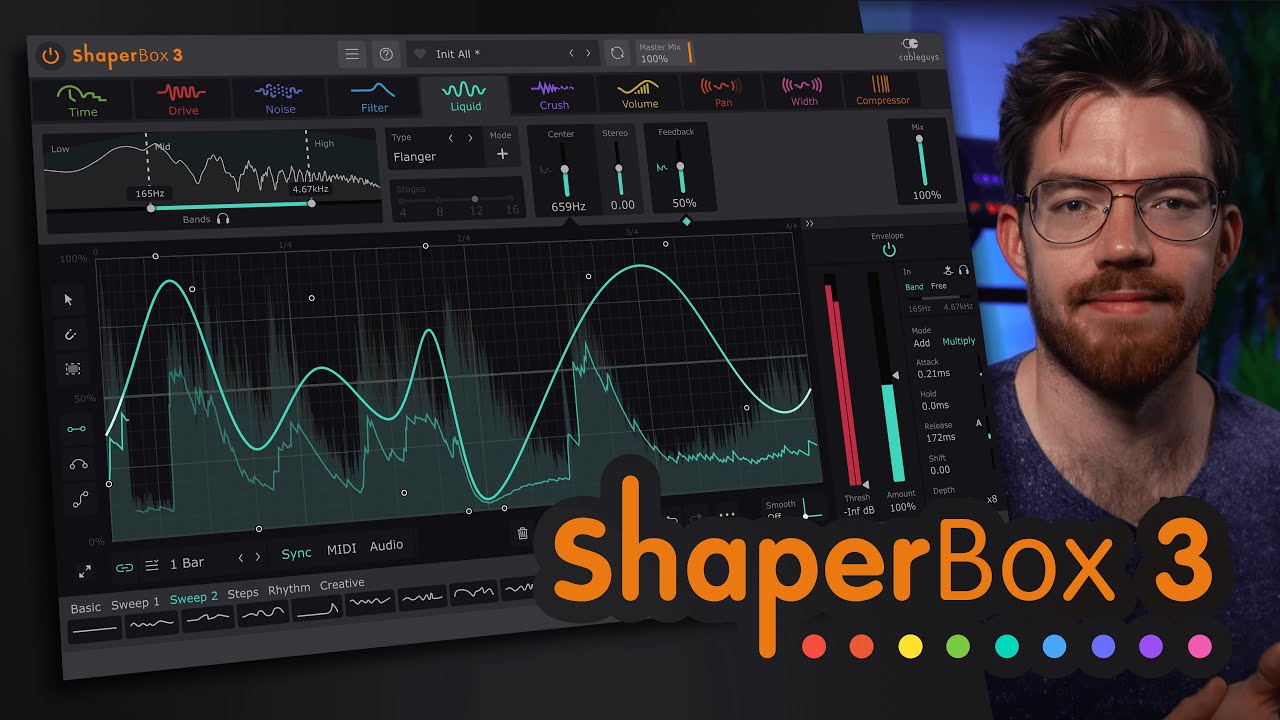
Effect parameters are controlled via onboard drawable LFOs, and these can be triggered by the incoming audio, MIDI or simply run continuously in sync with your DAW. I’m a particular fan of this last option which makes for some pretty amazing outcomes.
Couple this with the Time module, which allows you to stutter, reverse and generally mess with the incoming audio and you have a pretty compelling and creative effect.
5. IK Multimedia AmpliTube 5

There are a lot of guitar amplifier emulation plugins to choose from. Many of these are excellent, and picking a favourite for all applications isn't easy. Nevertheless, the one that I keep coming back to is IK Multimedia’s AmpliTube and there are a number of reasons for this.
First up, it has incredible variety in terms of the types of the hardware it models. This includes the individual amp, cabinet speaker and pedal components that form AmpliTube rigs, and also integrated access to the IK Multimedia’s Tonex system of captured tone models.
Next up, the design is guitarist friendly, arranging the components in rig style configurations that any guitarist will find recognisable. There’s a handy onboard tuner, flexible routing to allow more complex rigs, and good control over cabinet miking and speaker choice, which strongly appeals to my engineering mindset.
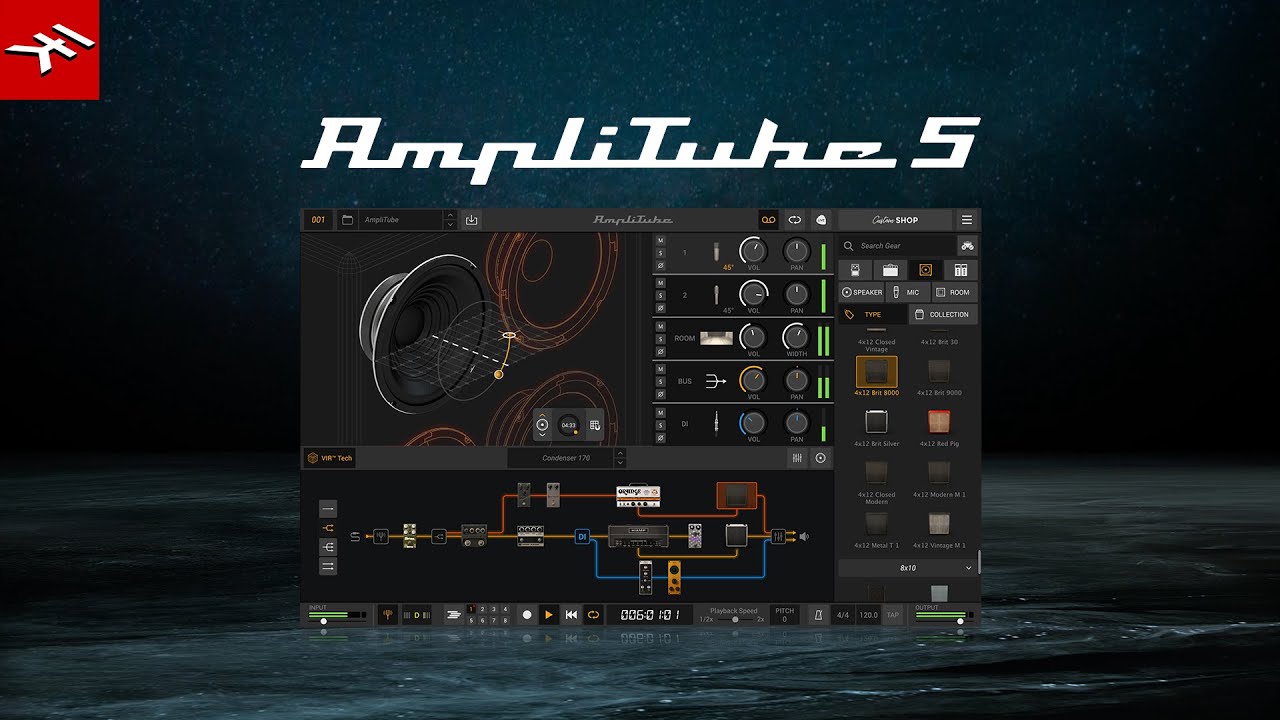
In terms of sounds, various bundles are available, but you can also buy expansions and additional rig components, as well as Tonex expansions.
There’s also a massive number of presets and also preset sharing via the online ToneNET ecosystem. Finally, and most importantly, it does sound really good, even when you strip things down to single components.
6. Oeksound Soothe

If you’ve spent any amount of time notching out undesirable frequencies from audio, you’ll appreciate how refreshing it is to find a tool that makes the process easier.
Soothe 3 from Oeksound is by no means the only resonance reducing processor on the market, and it’s worth giving a shout out to both Baby Audio’s Smooth Operator and Kern Audio’s Smooth. Nevertheless, Soothe is my favourite, and its latest v3 iteration is better than ever.
It’s very easy to use, and coupled with the flexibility to address specific frequency regions is highly flexible. It can also be quite aggressive should that be required.

To get started all you need to do is use the EQ style curve to select and focus the target frequencies.
Then simply choose from the Hard or Soft modes and adjust the Depth. The Detail option lets you adjust how precise the behaviour is, and if you want to hear what it’s actually doing, simply select the Delta monitor option.
Although I have used Soothe 3 for aggressive resonance reduction, for me it’s at its best when used moderately to help tighten up a sound.
