
MusicRadar Verdict
Despite its slightly toy-like looks, the MPC Sample is a fast and fun machine that channels the spirit of its early-'90s predecessors.
Pros
- +
Fun, fast workflow reminiscent of classic MPCs.
- +
Chopping and rearranging samples is a breeze.
- +
Lots of I/O for sampling and sequencing external gear.
- +
MPC pads feel great.
- +
Comes with lots of good quality sounds.
Cons
- -
Effects are great for performance but lack flexibility for sequencing and resampling.
- -
A few extra options for getting projects into a DAW would be welcome.
MusicRadar's got your back Our team of expert musicians and producers spends hours testing products to help you choose the best music-making gear for you. Find out more about how we test.
What is it?
Akai’s new MPC Sample is a self-contained, battery powered sampler that distills the MPC workflow down to its fundamentals.
Designed equally as an accessible entry point into the MPC range and a quick, on-the-go source of inspiration for more advanced producers, it lets users sample, sequence, slice loops and apply effects using a simple interface, focussed around a classic MPC-style grid of 16 pads.
MPC Sample is 32-voice polyphonic and capable of stereo sampling. It has 2GB of RAM with 8GB of internal storage, which can be expanded using a micro SD card. Its pads are velocity sensitive with polyphonic aftertouch, and lets users sample and sequence sounds across eight banks of 16 sounds.
The hardware is fully standalone, thanks to its rechargeable lithium-ion battery, capable of lasting for around 5 hours of operation. It also features a 3-watt built-in speaker and onboard mic.
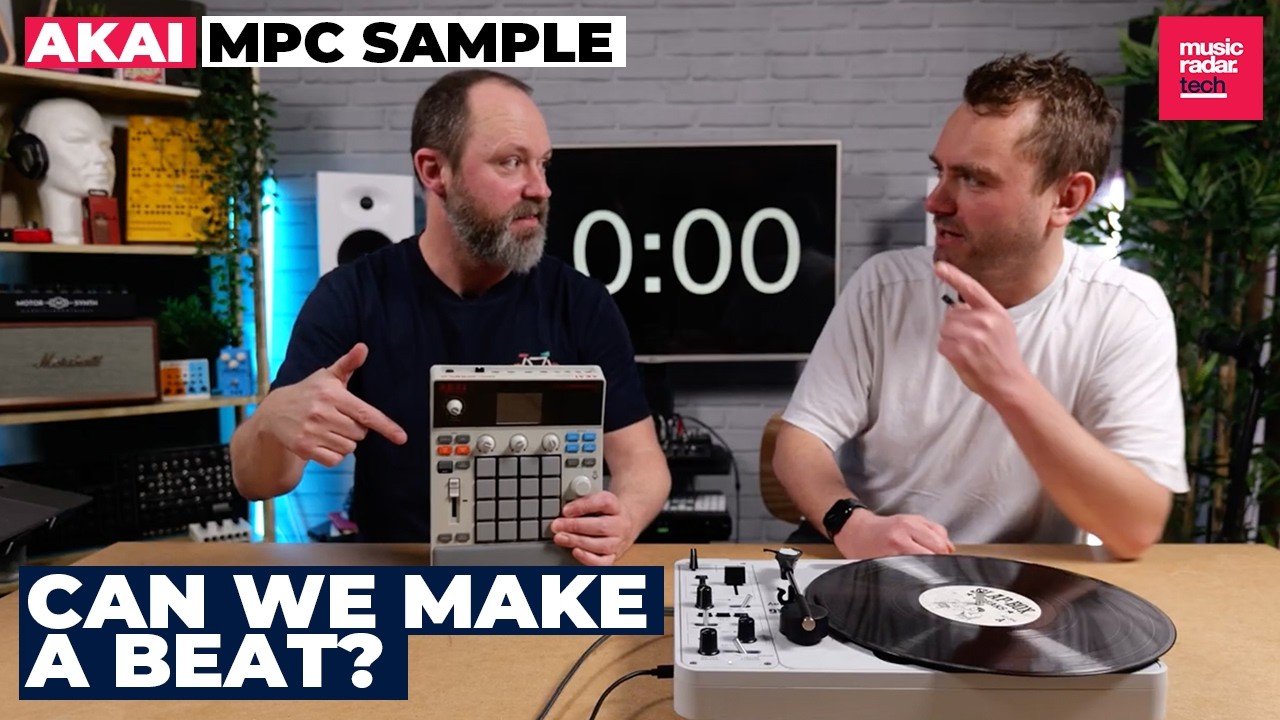
Despite its diminutive size, there’s a decent amount of connectivity. As well as sampling using the mic, users can also capture sounds via a stereo pair of TRS inputs on the rear, as audio over USB-C, or load sounds from the micro SD card slot.
These inputs are joined by another TRS stereo pair of outputs, a rear panel headphone port, analogue sync output and MIDI in/out. MIDI can also be sent or received via the USB-C connection at the same time as audio.
The sequencer can capture patterns of up to 128 bars, complete with automation, which can be arranged using the device’s song mode. Its effect capabilities include momentary Pad FX, which are triggered by the pads and respond to velocity and aftertouch, as well as a rhythmic effect engine called Flex Beat and a global Knob FX slot. It also has a master Color Compressor.
Performance
Over the past few decades, Akai’s MPCs have become increasingly capable and complex devices. I’ve reviewed several of the company’s recent models – including the recent flagship MPC XL – and there’s a lot I really like about them.
I do, however, have a certain amount of sympathy with those who miss the immediacy of the Roger Linn designed MPCs of the late-'80 and early-’90s.
The MPC Sample is the closest thing Akai has released to a vintage MPC in decades, in that it places the focus squarely on sampling and sequencing, without all the DAW-like bells and whistles of the MPC Live, One or XL.
Akai isn’t shy about making this comparison. With its light grey colour scheme, angled profile, parameter fader and padded wrist rest, the MPC Sample owes an obvious visual debt to 1988’s MPC 60. Unfortunately, its compact size and obviously plastic chassis result in it looking a little bit like a kids’ toy take on that iconic sampler.
Thankfully, that impression is purely superficial. For its size, the MPC Sample is surprisingly capable and really nails the on-the-fly creativity that users look for from those classic MPCs.
Although the MPC 60 is an obvious visual reference point, the design of the Sample equally feels like Akai’s response to several contemporary competitors, including Teenage Engineering’s EP-133 KO II, Roland’s SP-404 samplers and Ableton’s sketchpad device Move.

Free Sample
The MPC Sample's two biggest assets are its pads and the ease of its sampling workflow.
The pad grid is an integral part of the MPC design. When people laud the classic ‘MPC swing’ of the original devices, while the quantisation settings and timing instability played a significant role, the inherent expressiveness of triggering sounds on responsive pads adds a lot to the humanised feel of beats produced on an MPC.
The Sample’s pads lack the advanced MPCe capabilities of the current top-end MPCs, but they are velocity and aftertouch sensitive and feel great in-use. For a device of this size and price point they’re brilliantly responsive and make triggering beats an absolute joy.
Sampling, meanwhile, is fast and intuitive, and benefits from the broad selection of input options, which allow users to quickly sample from vinyl, hardware synths, digital sources via USB, or found sounds and quick vocals via the built-in mic.
While sample editing isn’t as deep as you’ll find on some other samplers, there’s a decent amount of flexibility. There are standard editing tools including start and end position markers, control over sample level and pitch, pan position and a simple attack/decay envelope.
Each sample can also be processed with a multimode resonant filter with its own A/D envelope. MPC Sample also has two warp modes, Pitch and Time Stretch, which are great for recreating the sound and workflow of a vintage sampler.

To the top right of the interface is a Pad Play menu, where users can control things including pad mutes, looping and reversing of samples and sample slicing.
This latter element is another highlight of the MPC Sample’s workflow. By pressing the Chop button, users can quickly slice a loop, which is automatically laid out across the 16 pads. Loops can be divided by transients, into equal segments or sliced manually.
This is a fast and easy workflow, which makes slicing and resequencing a drum breaks a breeze. It’s a shame, however, that there aren’t a few extra options for deeper editing of each slice.
The MPC Sample lets users play a chopped sample using the 16 pads, although the loop remains within the original sample slot, meaning that each chopped segment shares the same pitch and filter settings. It would be nice to have an option to assign individual slices to new sample slots, for deeper editing, warping and filtering without the need for fiddly automation workarounds.

On the automation front, many sample parameters can have automation recorded into sequences, including tuning, filter setting and envelope parameters, but not sample start and end times or – disappointingly – loop length. It’s also a slight shame there’s no LFOs or additional envelopes for assigning modulation beyond the pre-routed amp and filter setups.
One neat feature included on the sequencer front is the MPC Sample’s Recall functions. These work a little like the Capture features on Ableton Move. Essentially, the device has a constant recording buffer of 25 seconds. If you play something you like using the pads but weren’t recording at the time, it’s possible to recall what you just played, either as an audio loop using Sample Recall, or as a MIDI sequence using Seq Recall.
External MIDI connectivity is – although hardly unusual – another nice inclusion. The easy sequencing workflow lends the MPC Sample to quickly sketching out rhythms and sequences for external synths or drum machines, and the sampling workflow makes it very easy to then sample these into the machine itself.

Effects Flex
I have slightly mixed feelings about the way effects work on the MPC Sample. On one level, there’s no shortage of processing tools, including the creative Pad FX and Flex Beat options, Knob FX plugins and master compressor. However, the more you dig into these, the more you find there are some annoying limitations that make the whole effects workflow feel a little surface-level.
Take the Pad FX, these are very obviously influenced by the punch-in effects found on Teenage Engineering’s KO II. They work in a similar way, whereby the user holds down one of the 16 pads to apply an effect to the master output. Effect types include filter sweeps, beat repeats, modulation effects, reverses, delays and more. These are velocity sensitive, which alters the depth and character of the effect.
These are great in a performance setting, letting users apply multiple pad effects simultaneously on the fly to warp and manipulate a pattern in real time. Unfortunately though, there’s no way to record these effects into your patterns. It’s possible to latch an effect on, but this just creates a static effect missing out on all the fun of punching in effects or altering the depth with velocity.

Disappointingly, although the MPC Sample has resampling capabilities, the workflow doesn’t seem to offer any way to resample the output while also manipulating the Pad FX. It’s possible to latch an effect on and resample the output, but the device won’t allow users to ‘play’ the Pad FX and resample at the same time.
The excellent Flex Beat FX tools perform better on this front. These are a variety of sequenced rhythmic effects that can be applied across the full beat, offering things like scratches, reverses, glitchy beat repeats and timing modulations. They sound fantastic, and while you still can’t perform with them at the same time as resampling, you can latch and record a Flex Beat effect, which is a powerful and fun tool for mangling and resampling loops.
Knob FX, meanwhile, provides a more conventional effect plugin setup, offering tools such as reverb, delay, distortion and some nice vinyl and tape emulations. This is just a single effect module shared across all sample pads, although it’s possible to select which pads are routed to the effect. It is a slight disappointment that it's not possible to modulate parameters of these effect though.
Verdict
Some of these criticisms are perhaps a bit unfair, seeing as many are the sort of advanced features we’d expect from more expensive machines. Given that the MPC Sample lands below $400, it’s certainly a capable and well-equipped machine for the price.
What’s more, there’s a strong argument to be made that the instrument’s biggest selling point is its quick workflow and accessibility, and adding further depth in terms of automation, modulation and effects might come at the expense of its immediacy.
That said, one thing I do miss, having used Ableton Move fairly extensively recently, is the simplicity that device offers when it comes to transferring projects, sounds and stems to and from a DAW. Akai has made it possible to transfer Sample projects to a computer using Micro SD card and USB-C, and Sample projects can be opened using its bigger sibling MPCs, which is a nice touch.

Wi-fi connectivity – as exists on the similarly priced Move – could have made the MPC Sample an indispensable sketch pad though. It’s also a shame it can only output the stereo master channel via USB-C, and not individual stems.
Again, this might be asking a lot of a fun and simple instrument. But there’s a lot I really like about MPC Sample. I can really imagine this becoming a go-to tool for creating quick sample sketches and chopping up loops – it’s a shame the process of getting those ideas into a DAW isn’t a tiny bit quicker.
These modern considerations aside, the MPC Sample is the most intuitive and instantaneous version of an MPC Akai has released in a long time. If you've been craving a device that will let you chop, flip and jam with samples, without getting bogged down in menus and miscellanea, this could be the MPC you've been waiting for.
Hands-on demos
Akai
Alternatives
Specifications
Price |
$399 / £349 / €399 |
Key features |
Performance & Sound 16 RGB velocity-sensitive MPC pads with poly aftertouch 32 stereo voices of polyphony with disk streaming MPC Sequencer with Real-Time Swing (960 PPQN) Instant Sample Chop Mode Real-time Timestretch and Repitch Internal resampling with FX Over 100 factory kits included Effects 4 effects engines with 60 effect types Pad FX Knob FX FlexBeat Color-Compressor Interface 2.4" full-color LCD with waveform editing 3 real-time control knobs Legacy MPC parameter fader MPC Note Repeat, Sequence Recall, and Sample Recall Portability Rechargeable lithium-ion battery (up to 5 hours) Built-in 3-watt speaker Internal microphone Compact footprint: 23.6 × 19.4 × 5.0 cm Connectivity 2 × 1/4" TRS inputs 2 × 1/4" TRS outputs 1/8" headphone output MIDI In/Out Sync Out USB-C power, MIDI, audio I/O, and file transfer Storage 2 GB RAM 8 GB internal storage microSD card expansion |
Contact |
