
If you're ready to start recording your own music, you'll need to invest in one of the best DAWs. A Digital Audio Workstation is a piece of software that allows you to record, arrange, edit, and process audio, whether you're recording full bands or working with software instruments exclusively. There are many different types available, each with a workflow that will suit different musicians and different styles.
I've been recording in professional studios for many years now, and I've used every major DAW there is. For me, the perfect DAW is the one that allows you to make and edit your music in the fastest way possible. I don't believe there's a best DAW for everyone, so I've arranged this guide by workflow to make it easier for you to hone in on your perfect match.
If you're producing electronic music, then my top choice would be Ableton Live. Its unique workflow will take some adjustment if you're used to another DAW, but once you're up and running, it's an amazing software for songwriting. For those doing more traditional production roles, recording bands, you'll need to get your hands on a copy of Pro Tools. If you're just getting started with your music-making, I recommend going for Logic Pro, which is incredibly intuitive and comes with a very complete software package - it is only available on Mac, though.
There's a huge selection of DAWs in this guide, so there's no doubt one of these will be your perfect match. We've arranged our top picks by use case to make things a little easier for you, with the majority having been fully tested by our review team. If you still find yourself with some questions, check out my comprehensive how-to-choose section, in-depth FAQs, and glossary of key terms for more useful information.
Best for electronic music
💻 If you’re primarily making electronic music or planning on performing live, Ableton is the DAW for you.
✅ Buy if you want to predominantly make electronic music: Ableton is capable of loads as a DAW, but it is predominantly used by those making electronic music, and its unique workflow makes it well-suited to the task.
❌ Avoid if you're recording traditional bands: The workflow of Ableton makes it a little less easy for traditional recording, so avoid if you're going to be recording instruments live.
Overview
It's hard to overstate the impact that Live has had on the music software marketplace. When the first version was released in 2001, it threw out the traditional design rulebook and established itself not just as a recording program for composers, but also as a performance instrument in itself. Since then, it's exploded in popularity and influenced the development of countless other desktop and mobile apps.
Features
The latest full version, Live 12 is one of the most significant updates to a DAW in recent years. This a couple of big new devices - the Meld synth and the Roar colouring/saturation effect - plus a new suite of MIDI tools that are designed to make it easier to come up with new melodic and harmonic ideas.
Live 12.1, meanwhile, arrived with Auto Shift (a new real-time pitch correction device), Drum Sampler (a one-shot sampler for drums), and much more. Perhaps even more significant are Live 12’s changes to the flexibility of the UI, a modernised browser, and an enhancement of the overall accessibility. All of this not only makes Live feel more modern and refreshed but also opens up its usability to a wider pool of users.
Usability
When you first load up Ableton it can be a little intimidating. It doesn’t really look like any other DAW, but there are plenty of online videos that can direct you if you’re coming from another DAW, or it’s your first foray into music production. The latest update means that the once fairly inflexible UI of Ableton is now customisable, so you can now call up elements like the mixer alongside the arrangement view, which makes it even more usable.
It also has a library browser that makes it super simple to find sounds, with a search that can be filtered down to hone in on what sound you want. You can save complex searches too, so if there’s something you regularly look for like 808s with a specific sound characteristic, you can quickly recall those filters. It also categorizes user samples for you, making it a lot easier to make use of your own sounds in your library.

"In all, Live 12 has a lot to shout about. Compared to some previous iterations, there is a lot here that feels fresh and like it could have a significant impact on how users interact with the DAW. Some of these advancements feel like they’re due a little refinement in future updates – we wouldn’t be surprised to see subtle tweaks to how the MIDI tools or browser behave, which would be welcome. However you use Live though, there are new features here likely to appeal. "
Read more: Ableton Live 12 Suite review
Best for beats

💻FL Studio is the perfect DAW for producers making beats, with many pro producers in the hip hop world using it.
✅ Buy if you want to make beats: The step sequencer in FL Studio is one of the most intuitive around, making it an excellent DAW for beginner beatmakers.
❌ Avoid if you want to record live instruments: While you can do this with FL, it’s not the most streamlined workflow for recording guitars and drums.
Overview
Originally launched as FruityLoops, Image-Line's DAW holds near-iconic status for a certain generation of producers, particularly in the hip-hop and EDM realms. It was once Windows-only, but now has a native 64-bit Mac version, too, meaning that it can now be used on macOS without the need for a clunky workaround. Licences are shared between both Mac and PC versions, too.
Features
Image-Line offers lifetime free upgrades to FL Studio users, meaning that all existing users of the software can download new versions on both platforms without paying a penny extra. It comes in four different versions: Fruity Edition, Producer Edition, Signature Bundle, and All Plugins Edition, with the number of sounds and plugins rising as you move further up the price spectrum.
Usability
Thanks to its unique and intuitive workflow, FL Studio is often recommended as one of the best beginner DAWs, but this is underselling its capabilities somewhat. FL Studio was one of the first DAWs I used alongside Cakewalk, and for making beats, it’s one of the best around. The step sequencer is now legendary, and makes it easy to start creating sounds, even if you’ve got absolutely no experience whatsoever.
Like Ableton, it features a powerful search function that makes it easy to audition samples and sounds, then quickly drop them into your project. You can also buy sounds straight in the DAW without having to go to an external website, which is super handy if you need a sound that you don’t have already.
The stock plugins are great and offer some nice creative options, but access to these is dependent on which version you buy, with some of the best stuff being reserved for the more expensive editions. It means that if you really want to expand your sound set, you’ll have to upgrade to a more expensive version or buy third-party plugins.

"While the plugin enhancements are great, they are not included in every version so it feels a little over the top to base all of our concluding thoughts on them. And, really, a lot of v21 is about the workflow improvements. You even get big options to adjust the screen colour and project hue which could aid your workflow more (although the white version is not really for us). And on that score, it’s a fine update: slicker, more refined and easier to use. FL Studio remains one of the most widely used DAWs for very good reason and with its free upgrades, it’s a DAW switch you could make for life."
Read more: FL Studio 21 review
Best for beginners

💻Logic Pro is really intuitive to use and can play a lot of roles, whether you’re a singer-songwriter, recording artist, or creating entirely in the box.
✅ Buy if you want a DAW that can play a lot of roles: Logic is super flexible, making it great for a wide variety of users.
❌ Avoid if you're on a PC: This software is only available for Mac OS, so one to avoid if you're using a PC for your music-making tasks.
Overview
Apple Logic Pro is now in its 12th edition, and it continues to go from strength to strength. It provides a very familiar interface to those coming from other DAWs with a mix window and arrangement window, as well as familiar bussing and aux/sends. It’s also a one-time purchase, meaning no subscription required, but it still gives you loads of sounds and some really great stock plugins to work with.
Features
Apple’s flagship DAW is leading the way in terms of AI-powered features: Bass and Keyboard ‘Session Players’, which do for these instruments what Drummer does for drums; Stem Splitter, which breaks apart stereo material so that you can create remixes; and ChromaGlow, a new effect that promises to add “instant warmth”.
Usability
While long-time users might argue that the new features represent a ‘dumbing down’ of the software, they do have the potential to bring new people through the door, and that, ultimately, is probably what Apple wants.
The Session Players, for example, are definitely skewed towards budding songwriters who might not have the musical skills to turn their ideas into reality, but they could also be ‘misused’ by electronic musicians by using different sounds and pushing the settings to more extreme or unusual levels.
And, of course, all of the composing, recording, and mixing features from previous iterations of Logic are still here. These new versions of Logic Pro won’t write and produce a song for you, but they’re certainly the most helpful, user-friendly updates to the software yet.

"With these new versions of Logic Pro, it feels like Apple is giving us the friendly, helpful face of AI. As we reach a point where you’ll soon be able to make a track simply by typing a text prompt or two, the Session Players almost feel rather quaint, and certainly not the crushing blow to human creativity that some might have feared. Musicians and producers remain in control for now - it remains to be seen for how long."
Read more: Apple Logic Pro 11 review
Best for bands

💻If you want to work in a professional studio, then you’ll need to learn Pro Tools. It’s great for recording bands, and it works extremely well with external hardware.
✅ Buy if you want to record bands: Its integration with external hardware and flexibility in signal routing make this the ideal DAW for recording full bands.
❌ Avoid if you're a beginner: Pro Tools doesn’t give much away for new users, and can be intimidating if you don’t already have a DAW under your belt.
Overview
Pro Tools gets a lot of flak online, but it remains the industry standard in recording studios around the world. Watch any video of a pro-engineer showing you some tips, and chances are they’ll be using PT. The software has never had quite the same impact in the home recording market, but knowledge of it certainly puts you at an advantage if you want to work in the industry.
Features
2022 saw the biggest update of the Pro Tools line in years, with a new free version - Pro Tools Intro - using the same installer as the full software, meaning that it's fully compatible. This version added ARA 2 support for direct integration with Melodyne, and Aux I/O, a macOS-exclusive feature that enables flexible routing of audio between Pro Tools and other software/hardware. It also works with software like VocAlign, making aligning and tuning tracks in Pro Tools a breeze.
Avid has also recently introduced Pro Tools Sketch. Both a free iPad app and a new window in Pro Tools, this presents you with an Ableton Live-style clip launching interface that enables you to move away from a linear workflow to something that, for some people, will feel liberating.
More recently, we've seen the arrival of a range of new MIDI tools and support for third-party MIDI effect plugins. Pro Tools is moving with the times, then, and if you've dismissed the software before, or you want to work in physical recording studios, now’s the time to take another look.
Usability
Pro Tools doesn’t hold your hand at all when you first start using it, which can make it very difficult for beginners to get their heads around. There are, however, plenty of tutorials online which will make things clearer if you decide you do want to jump in the deep end. And Pro Tools goes very deep indeed.
The editing tools are some of the best in the business, making it easy to chop and change audio, add crossfades, and move things around with the multi-tool. Routing folders provide a way to keep your project neat and tidy, while using sends/auxs and busses is a breeze. Learning keyboard shortcuts will benefit you greatly here, and once you get up to speed, it’s one of the fastest workflows I’ve encountered for editing.
Beat Detective is incredibly powerful for getting your drummer perfectly in time, and some excellent stock plugins can get you started if you don’t have any of your own. I particularly like the EQ, Dyn3 Comp/Limiter, and of course, the still excellent D-Verb reverb plugin.
Best budget
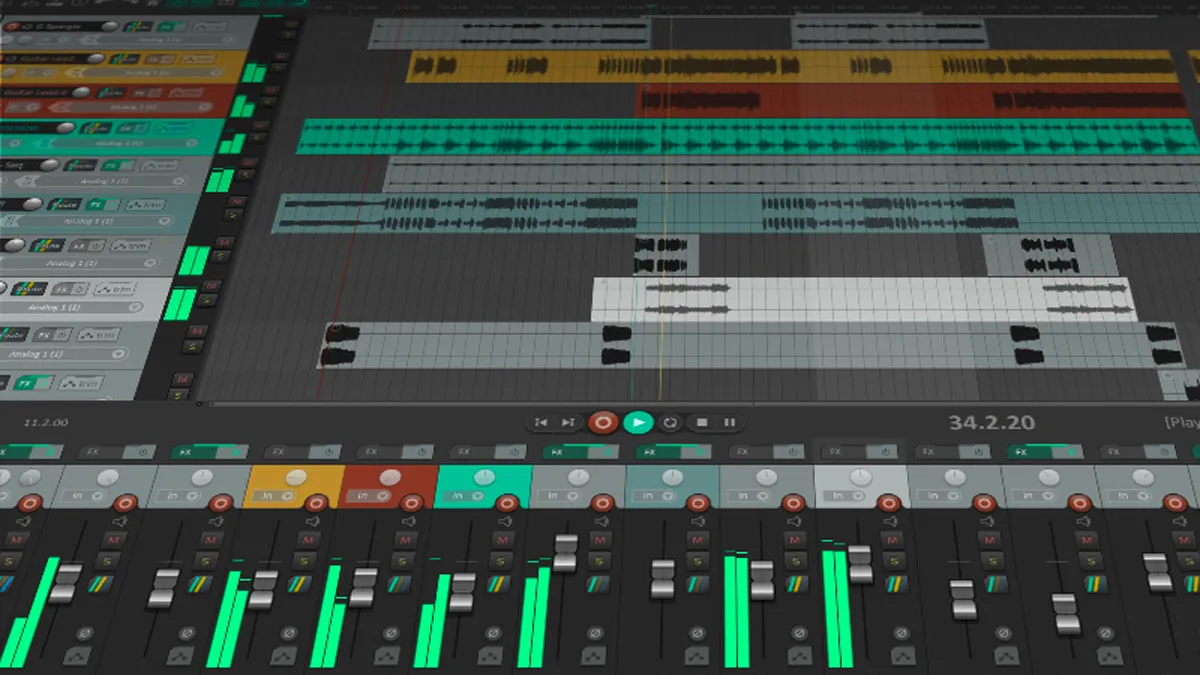
💻If you feel like you’re hitting limitations in other DAWs, or they just don’t work for your particular workflow, the endless customisability of Reaper might just be what you’re looking for.
✅ Buy if you want to record bands on a budget: If you haven't got much of a budget to spend on recording, or you'd rather buy some more microphones and plugins.
❌ Avoid if you need instruments: Unlike a lot of others on this list, Reaper doesn't come with all that many virtual instruments, which could make it difficult if you're just getting started or work exclusively in the box.
Overview
For the benefit of those not in the know, Reaper is a remarkably affordable cross-platform DAW that has a tiny footprint and sophisticated MIDI/audio routing capabilities. It’s become a lot more popular over the years as users, frustrated with other DAWs, have moved to Reaper to create their own workflow. It’s also incredibly good value for money.
Features
This is one of the most customisable and affordable DAWs around. What's more, it's wonderfully responsive, with everything from scrolling and zooming to fader moves and item editing feeling quick and fluid. Reaper demonstrates that the software is still moving with the times, thanks to the addition of Track Lanes (use them to manage takes, layer sounds, assemble alternate track versions, or store playlists), Swipe Comping (for fast assembly of multiple takes), FX Containers (create your own chains), and more track channels and MIDI I/O.
Usability
Reaper is definitely not something I’d recommend for beginners, as there’s quite literally nothing there when you first open it. This is a DAW that you have to shape to be what you want it to be, which means there’s an initial period of time investment in order to get it working how you’d like.
Once you get past this stage, however, you’ll find an incredibly powerful DAW. Everything is customizable, so you can move things around so they’re exactly how you want them. You can even ‘skin’ it to make it look like another DAW or a vintage console. The way it handles tracks is amazing too. There are no separate audio or MIDI tracks; Reaper just automatically handles that for you.
I find editing to be super quick, too, so while it isn’t the best for creative beatmaking, if you’re editing audio, it offers a very satisfying workflow. The UI is basic, yes, but the stock plugins are actually really powerful, and you might find that being less distracted by shiny-looking things means you listen with your ears rather than your eyes.
Best for iPad

💻If you’re a content creator or you like to make music on the go, Logic Pro for iPad is a very powerful option.
✅ Buy if you're making music with an iPad: Now powerful enough for serious music-making, this is the perfect DAW for those using an iPad to create their music.
❌ Avoid if you don't like subscriptions: Logic Pro for iPad is only available as a subscription; there's currently no way to buy it outright, which might be a deal breaker for some.
Overview
There have been numerous attempts at creating mobile DAWs over the past decade, some of which – such as Cubasis or BeatMaker – have proved genuinely impressive. But the most accomplished iOS music-making environment comes, perhaps unsurprisingly, from the creator of the iPad itself.
Features
Logic Pro for iPad is built on what Apple has learned from years of developing GarageBand for iOS. Much like its entry-level sibling, the iOS version of Logic benefits from making the most of the touchscreen control surface, rather than simply trying to replicate the desktop workflow.
This is done through a simplified user interface with fewer menus, as well as the inclusion of some genuinely excellent ‘touch’ optimised instruments like Sample Alchemy and Beat Breaker. It works very effectively with Apple’s Pencil accessory,too.
Usability
What’s most impressive about Logic for iPad is how little functionality is lost as a result of this optimisation; in fact, version 2 gets pretty much the same suite of new features as the latest Mac version (see above). Desktop users will recognise the DAW’s many staple instruments, tools, and effects, and AUv3 compatibility means that it can even host compatible third-party plugins.
Honestly, my only criticism is that Logic for iPad is subscription-only, with no option for outright purchase.
"Logic Pro for iPad is great not only for tablet-based musicians, but the iOS music-making scene in general. In some ways, the software feels like the culmination of everything Apple has been trying to achieve in the creative part of its multitouch universe, and offers fresh impetus to both musicians and third-party developers who are willing to explore it. It might not be a replacement for the Mac version, but Logic Pro for iPad is a killer application in its own right, and one that has the potential to re-energise both your creativity and the iOS music-making space in general."
Read more: Apple Logic Pro for iPad review
Also consider
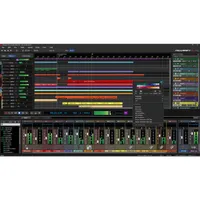
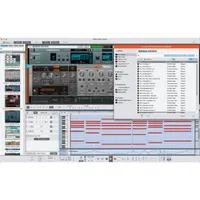
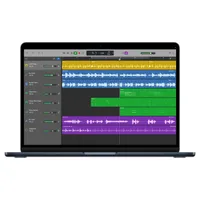
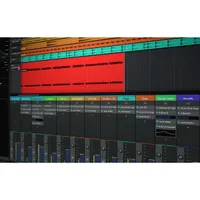
The above DAWs should have you covered for most types of recording. We always appreciate that not all musicians prefer a similar workflow though, so if those don't meet your needs, here are some more great options to look into.
How to choose

The best DAW for you is the one that you find it easiest to make music with, so it’s worth trying demos of all the software that you’re considering. I’ve used basically every major DAW out there over the years, so here’s what I think are the most important factors to consider when buying, starting with a hardware check.
1. Laptop or PC?
MusicRadar's got your back Our team of expert musicians and producers spends hours testing products to help you choose the best music-making gear for you. Find out more about how we test.
Laptops nowadays are more than powerful enough to run DAWs, so if you’re collaborating with others regularly, making music on the move, or you just want to be able to mix while sitting in bed, then a laptop is a great option to go for. If you’re recording bands in a bigger space and want something more permanent, then a PC is the way to go, as you can often get better specs and more storage capacity.
In terms of specifications, for music making, the most important aspects are the CPU (Central Processing Unit) and RAM (Random Access Memory), as these will determine how well your DAW will perform. For those on Windows, I’d recommend an i5 or Ryzen 5 processor, and at least 16GB of RAM. If you have the budget for more however, then definitely get more.
It’s a little different on Apple machines due to the silicon processors and unified memory. You can get away with a basic music-making machine with just an M1 chip and 8GB of Unified Memory these days, but of course, more is always better. With an M4 chip and 16GB or more of Unified Memory, you’ll have a laptop or PC capable of pretty much any music-making task.
2. Storage
Music-making requires a lot of storage, particularly if you’re recording full albums or regularly recording bands, so investing in an external hard drive for music production is essential. You should also think about having a backup option, whether that’s in cloud storage or an additional drive that you keep offline and add to incrementally. Trust me, there’s nothing worse than losing years of your music.
3. Audio interface
Although these aren’t as essential as they once were, particularly if you’re working on an Apple machine, if you want to record audio then you’ll need an audio interface. These also take some of the heavy lifting off of your processor by handling audio conversion, so a good interface is a very necessary part of modern music-making. It will also let you best utilise a pair of studio monitors or a pair of studio headphones when mixing.
4. Creation style
Finally, you should think about what type of music you want to make and how you want to make it. Each DAW in this guide features a ‘who it’s for’ section that details this to make things easier for you, but essentially, you should be thinking about whether you’re recording bands, your own singer-songwriter exploits, making EDM bangers, or creating beats for hip-hop or grime.
FAQs

Is there really a best DAW for specific genres?
Most DAWs are pretty capable of handling a variety of different workflows these days, but there are some that are undoubtedly more capable in particular styles than others. There’s a reason that professional studios still use Pro Tools to record bands, similar to how a lot of EDM musicians tend to end up working in Ableton. Different workflows make it faster and easier to do certain things, so pay close attention to what music you’re making, and whether your DAW of choice is a good match for this.
Do DAWs sound different from one another?
No, they do not. Anyone trying to tell you their DAW sounds better than yours is absolutely misinformed. There are plenty of tests online that will show you DAWs sound exactly the same if you want to dive into that rabbit hole, but the reason songs sound different is the skill of the mixing engineer and arrangement, not the software that was used to create it.
Are there any DAWs that don't require a subscription?
Most DAWs offer a one-time payment option, including Logic Pro, FL Studio (which has free updates for life), Reaper, and Bitwig, being some of the options available. Other DAWs like Pro Tools have a ‘perpetual’ license which gives 1 year of software updates and support, and similarly, Ableton offers minor free updates, but major version upgrades require an additional purchase.
Are there any high-quality free DAWs?
Yes, there are quite a few options available here. Many DAWs have a free version as standard, but these often have track count limitations, meaning you’ll likely hit the limit pretty soon. GarageBand is a free and very capable DAW, but it only runs on Mac. Windows users can bag Traktion Waveform free, which is a very capable free option. Technically, you can get Reaper for free by simply dismissing the window that asks for payment, considering the low cost, though, if you end up using it a lot, you should just buy it.
Which DAW has the best AI features?
AI stem separation is quickly becoming standard operation in DAWs, and from what I’ve seen, both Logic, Ableton, and FL Studio have integrated this the best so far. They allow you to take out certain instruments, which is great for sampling existing music. There are other AI tools available as well, like Logic’s session players, which aim to give you bandmates to play along with that offer a more realistic feel.
Can Logic Pro for iPad replace a proper DAW?
It depends on what you’re using it for. If you want to record full bands, then I would recommend you stick to a laptop or PC-based DAW. For making music in the box, you can absolutely use an iPad. Similarly, a lot of content creators can benefit from the workflow of not being chained to a desk, but be advised that some users find the file management on iPad OS to be one particular pain point.
Do I need a top-of-the-range PC/laptop to run a DAW?
These days, you don’t. Something like the MacBook Neo, which is around $599, can be a decent music-making machine for students and beginners. Of course, the more you want to do, the better the machine you will need. If you’re creating projects with loads of tracks and virtual instruments, then you will need more power to keep things running efficiently, but there are plenty of ways to optimize your PC for music production.
Is it worth switching to a brand-new DAW?
Most often, I would say no unless you’ve hit a particular limitation with yours. The amount of time you spend learning a new DAW can really hamper your music-making, and can end up being a total waste of time if you’ve invested years in a DAW already. That said, switching DAWs can also be a great way to help improve your skills, open your mind to new workflows, and enhance your creativity.
Key terms
- AAX (Avid Audio eXtension): A plugin format exclusive to Pro Tools.
- AU (Audio Unit): A plugin format exclusive to Apple OS.
- ADSR (Attack, Decay, Sustain, Release): Four stages that describe the way a sound evolves over time, often found as settings on synth plugins.
- ASIO (Audio Stream Input/Output): A Windows-specific audio driver that allows software and hardware to talk to one another.
- Audio interface: A hardware unit that converts audio signals into digital information your computer can understand, then changes it back from digital to analogue signals for studio monitors or headphones.
- Automation: A way of changing parameters in a DAW while the song plays, for example, raising a volume fader during a chorus, then bringing it back down for the verse.
- Bit depth: The dynamic resolution of recorded audio, with 24-bit being the standard for digital music making.
- Bouncing: The act of exporting a track, stems, or multi-tracks from your DAW for playback on computers, CDs, vinyl, and other formats.
- Buffer size: The setting that determines the amount of time a computer has to process audio. Lower buffers are better for recording, while higher buffers are better for mixing.
- Bus: A path that allows you to group multiple tracks together, for example the individual elements of a drum kit. This allows you to process everything at the same time, sometimes called ‘bus processing’ or ‘top-down mixing’.
- Channel strip: The vertical column in the mix window of your DAW that contains the volume fader, pan knobs, and any plugins you’ve added. Can also be used to refer to plugins that emulate the hardware channels of a console.
- Clipping: A digital distortion that occurs when your track is too loud, resulting in an unpleasant and harsh tone.
- Comping: The act of piecing together a performance from multiple takes in a DAW, very commonly done with vocals.
- CPU load: The amount of processing power your DAW places upon your CPU, these often have their own meter in a DAW.
- Decibel (dB): The unit of measurement for the volume of sound.
- Dry: The sound of an instrument or voice before any processing has been done to it.
- EQ (Equalization): The process of boosting or cutting particular frequencies in order to get things sounding better in the mix.
- Gain staging: Managing volume levels at every single stage of the music-making process, from recording your signal to mixing in the DAW. The idea is to leave enough headroom for further processing so you don’t end up clipping in your DAW.
- Headroom: A gap you leave between the loudest possible sound in your DAW in order to avoid clipping and deliver a better product for mastering.
- Latency: The delay between playing a note on an instrument or singing a line and hearing it back through speakers or headphones. Often affected by the amount of processing power your computer has, the type/quality of audio interface, and the number of plugins added to the signal chain.
- LUFS (Loudness Units relative to Full Scale): The modern standard for measuring how loud a track is. Used by Spotify and other streaming services to normalise volume for listeners.
- Mastering: The final processing applied to a track to ensure it’s ready to be sent out for distribution and streaming. It is generally considered good practice to get someone else to master your music, like getting a second opinion at the doctors.
- MIDI (Musical Instrument Digital Interface): A communication protocol that allows hardware like controllers or MIDI keyboards to talk to digital instruments in your DAW.
- MIDI controller: A hardware device used to trigger sounds within your DAW. These usually don’t make any sounds on their own.
- Mixing: The act of balancing all of the tracks within a song in order to make it sound like a cohesive whole.
- Monitoring: Can be used to refer to what system your using to listen back to your tracks on, whether it’s monitors or headphones. Also used to refer to listening to a track or instrument before any processing, called direct or input monitoring.
- Multis: The raw, individual tracks of a production, sometimes exported for mixing or remixes. Often confused with the term ‘stems’.
- OS (Operating System): The software that your computer uses to run, with the most popular being Windows, macOS, and Linux.
- Panning: The act of placing a sound in there stereo field, for example moving to the extreme left or right of your speakers or headphones.
- Piano roll: A grid that lets you edit or create MIDI notes, often used with virtual instruments like software synthesizers or drum kits.
- Plugin: A program that works within your DAW, that can operate as an instrument like a synth, or an effect like reverb.
- Quantization: A MIDI function that aligns notes to a rhythmic grid, allowing your sounds to be perfectly in time with the tempo/BPM.
- Sample rate: The number of times per second analogue sound is captured in order to convert it into digital. Typical samples rates are 44.1 kHz or 48 kHz.
- Sidechain: The act of triggering a sound or effect by chaining it to a different sound or track. The most common usage is sidechaining a kick drum to a bass sound so the kick ‘ducks’ the bass to prevent the two from clashing.
- Stem: Individual groups of audio exported for mixing, mastering, or remixing. These often group all instruments together, like drums, vocals, guitars etc., and are frequently incorrectly used to refer to ‘multis’.
- Stem separation: The act of separating instruments from a track in order to isolate or remove them. This has become a lot more powerful thanks to AI, so you can easily and quickly remove elements from a song without the original stems or multis.
- Velocity: Refers to how hard a note is struck when using MIDI, defined by numbers going from 0 to 127.
- VST: A software-based instrument that operates inside your DAW. Can be a synth, drum kit, guitar, strings, or pretty much any other instrument.
How we test

Here at MusicRadar, our reviews team uses DAWs in their day-to-day lives, whether that's making EDM via Ableton or recording bands in studios with Pro Tools. The DAW is a crucial part of creating music in the modern age, and as music makers ourselves, we've got plenty of experience using them in the real world.
So when we're testing a DAW for review, our first port of call is to see how far we can get without diving into the manual. We're testing the ease of use primarily here, looking to see how easy it is to get started making music, and looking through the lens of a beginner if it's particularly difficult to discern.
Next, once we've learned our way around it, we'll begin crafting a basic production to test the stock instruments, how it interacts with an audio interface, and what it feels like to actually create with it. It's a great barometer for the intuitiveness of any DAW, and allows us to explore deeper editing and creation features.
Once we've got the bare bones of a production going, it's time to mix. Using only the onboard tools we'll determine just how usable the stock EQs, compressors, delays, and reverbs are, as well as how many of them there are to play around. We're looking to see all the basic tools covered here, allowing musicians to get mixing without having to purchase additional plugins.
Our final step in the testing phase is to run some sort of stress test, similar to DAW Bench. Here, we'll load up the DAW with multiple tracks containing virtual instruments until the session is overloaded. It's a great way to gauge how a DAW will perform under load, but we'll also caveat that with the fact that your computer and audio interface drive play a part in this.
Find out more about how we test music gear and services at MusicRadar.
Latest updates
07/05/26: The page has been given a top-to-bottom rewrite, with new labels, product entries significantly expanded, new pros and cons, and a new 'who is it for?' boxout. Brand new how to choose, FAQ, and key terms sections have also been added to increase the usefulness of the page.
16/01/25: The page furniture has been significantly updated to improve the overall flow of the page. The format of the 'also consider' section has been completely refreshed, and expert verdict boxes have been added to the product entries to offer more information. Each product entry has also received an 'at a glance' boxout for further insight, and we've added an 'how to choose' section too.
