Time was when playing live with a laptop was about as advisable as taking a weekend break in Baghdad. Portable computers used to be horribly underpowered, and running processor-intensive music software on them in the heat of musical battle was a recipe for disaster.
Fortunately, things have changed - gigging with a laptop is now a viable, fun and creative option. There are still a few things you need to consider before you hit the road, though, and MusicRadar is here to tell you exactly what they are…
1. You need an incredibly stable system to play live, so make sure that you´re using software that you trust, and that your machine is fully charged, rock-solid and free from any malware or viruses.

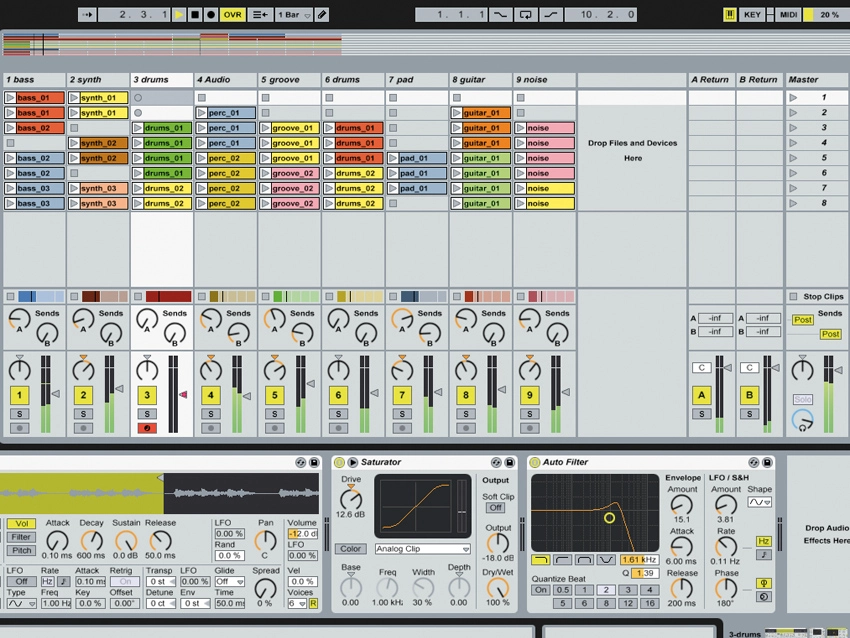
2. Get yourself some software that´s designed for live use. A good example is obviously Ableton Live, but Apple´s Mainstage is another impressive option. The priorities are that it´s stable and offers low-latency performance and glitch-free real-time playback.
3. Be absolutely sure that your audio hardware is up to the job. Loud sound systems can be very uncompromising with mediocre sound sources.
4. If you are playing with more than one person, consider investing in a hardware mixer and a multi-output audio interface, in the interests of ease of use and stability.
5. Always make some sort of provision for altering your arrangement live, if possible. And do the same for your track-listing. You never know when you might want to extend a popular chorus for people to sing along to, or repeat a track as an encore.
6. Rehearse, rehearse and rehearse some more. It sounds obvious, but if you´ve never played live before you won´t be used to the fact that things have a tendency not to go as planned. And if there are bumps on the road, you want to be able to coast over them without having to worry about not knowing your set inside out…
7. Make sure you do a proper soundcheck. Many venues have acoustic spaces that are so poor they make the average home studio environment seem like a top mastering house in comparison, so your finely tuned mix will probably go out of the window at the gig!
8, Always record everything you play live for reference later. And if you are using Ableton Live, don´t just record the resulting audio, record the actual live sequencing as well. You never know what tricks you might be able to re-use later.
“Always make some sort of provision for altering your arrangement live. You never know when you might want to extend a popular chorus for people to sing along to.”
9. Make sure you´ve got accurate monitoring. This might mean in-ear headphones, noise-isolating headphones, bloody great amps or a combination thereof, but you need to be able to hear what you´re doing at all times.
10. If you´re playing with others, it´s important to be able to set everyone´s monitor mixes separately. And generally, you want your instrument or vocal level to be much louder than the rest of the track, or you´ll soon get confused in the heat of the gig.
11. You need to avoid any latency issues at all costs, so make sure that you don´t use any linear phase or known latency-inducing plug-ins in your live set. If you do, your gig could come to a grinding halt.
12. Carry spare adapters and cables. Playing live can be punishing on cables, and adapters have a habit of disappearing at the most inconvenient moments. It only takes one missing part to ruin a gig.
13. Live sound is about compromise. In the studio you want the best sound possible, live you need to make sure that the different sounds are isolated, which means you need to use close-miking techniques and find a balance between separation and sound quality.
14. If you´re getting a lot of noise spill between different instruments, the first thing you should do is try facing your mics ever-so slightly away from each other. They´ll also need to be closer to the sound sources than they would be in the studio.
15. You´ll probably need to use EQ to take out some of the harshness of close-miking, and bring back some of the warmth you lose using that technique too.
16. Use professional earplugs whenever possible - this goes for any situation with loud noise, but particularly live gigs. Your ears are your only link to the musical world. Unless you´re Beethoven, deafness will mean the end of your career.
17. This goes for all recording, but particularly live work: always use high quality balanced cables to minimise the amount of unwanted noise in your system. You´ll always get some when you use real mics and instruments, but the less the better.
