Sponsor Content Created With

5 things you NEED to know if you’re mixing tracks on headphones
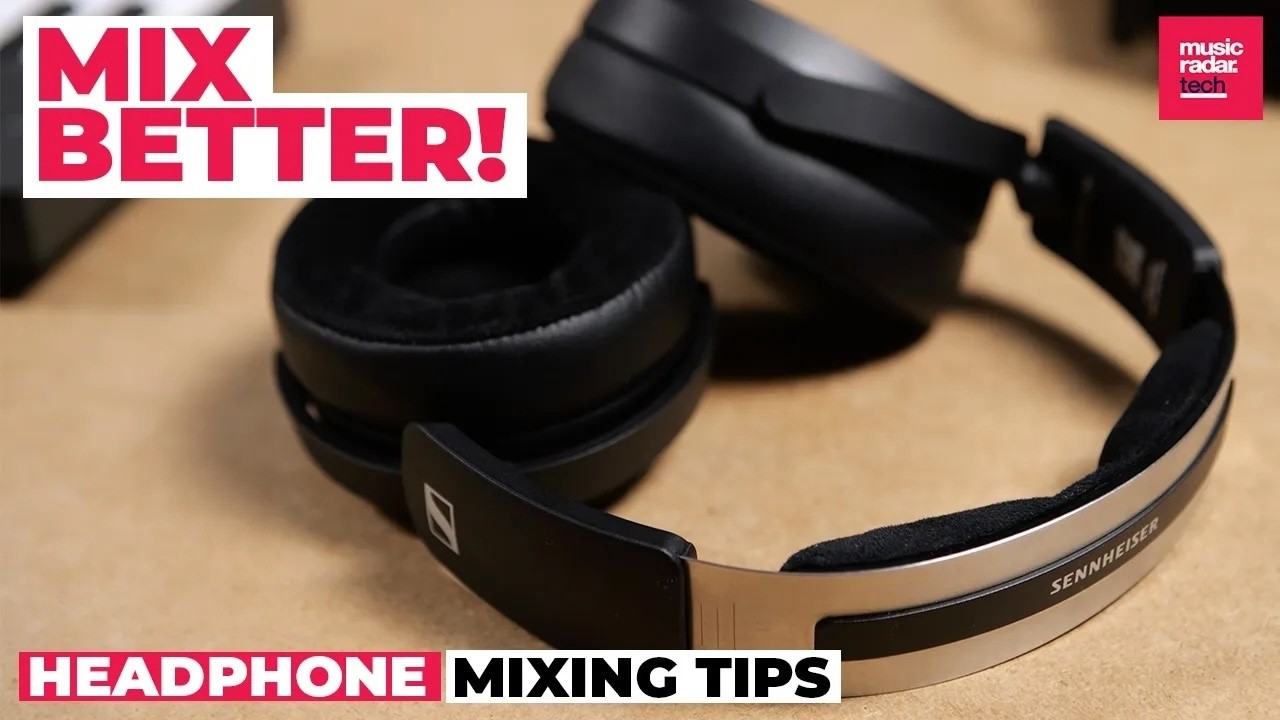
Traditional wisdom tells us that mixing on headphones is a no-go, but as studio spaces become more mobile and headphone technology improves, the practice is becoming more and more common.
In reality, headphones are an important part of a modern music making setup, and a professional set of studio headphones like these new HD 480 Pros from Sennheiser can be an invaluable addition to your production setup.
There are some real benefits too. Having a trust-worthy set of production headphones can give you a way to make music away from your main studio space, and using headphones can help to work around acoustic problems or a poor monitoring setup.
Whether you work primarily on headphones, or use them as a secondary tool alongside monitor speakers, understanding a few basic factors can help you make smarter mixing decisions.
1. Choose the right headphones – and get to know them
There are a few important things to consider when choosing headphones for music production – and it doesn’t always come down to simply buying the most expensive pair you can afford.
One of the key decisions you’ll have to make is between open and closed back headphone designs. Both can work well for music production, but each has its own strengths and weaknesses.
Open-backs generally sound more open, but they will let sound in and out, which could make them sub-optimal if you need to be very quiet or are likely to be disturbed by background noise. If you are always going to work in a quiet and controlled environment and want the most natural sound for mixing and mastering, then open back headphones might be the best option.

However, if you plan to produce away from the studio in noisier environments, or if you’re recording vocals and want to avoid sound leaking out of your headphones, then closed-backs are always the way to go. Overall a closed-back design means more versatility for performing different music making tasks in different settings.
It’s also important to choose headphones that aim for the most honest and representative sound possible. Avoid headphones aimed primarily at consumers or DJs, which often artificially boost the bass or high frequencies of a sound. Opt for headphones designed specifically for studio use.
The HD 480 Pros have studio-friendly specs including multiple stages of passive sound shielding for improved sound quality, as well as state-of-the-art neodymium magnets for superior driver performance,
What’s really important is to get to know your headphones. When adopting a new set of studio headphones, spend as much time as possible listening to music you know well. This could be tracks you’ve produced yourself in the past, or music from your favourite artists.
This will help you understand exactly how music translates on your headphones, and how it compares to other listening environments.
2. Understand the difference between monitors and headphones
Mixing on headphones can help to avoid the problems that can come from listening to music in a poorly treated acoustic space, but they also come with their own considerations.
A set of studio headphones like the HD 480 Pros can be really good for hearing how sounds are placed within the stereo field, but this accurate representation without crossfeed between speakers can mean that stereo width is greatly exaggerated
Headphones isolate each ear so that no right channel information is provided to the left ear, and vice versa. With no crossfeed, you get none of the different reflections, timing, and phase that all play a part when you listen to music from speakers.
Common problems associated with producing solely on headphones include creating mixes that are too narrow, and applying too little of spatial effects like reverb and delay.
The frequency response of headphones can be variable too, particularly when it comes to how well low-mid and bass frequencies are reproduced.
Sennheiser’s new HD 480 Pros use the company’s Vibration Attenuation System, which reduces reflected sound and distortion and really helps with low-end clarity, which makes them great for monitoring frequencies that might get lost on cheaper speakers.
Even in this case though, some frequencies are felt rather than heard – particularly subs below 20Hz – and a set of headphones can’t replicate the physical feeling of those frequencies played over a powerful sound system.
In all of these cases, the best workaround is to compare your mixes on as many different systems as you can. This isn’t always possible though, and understanding the limitations of headphones can help you avoid making mistakes.
3. Use visual references
If you want to double check your headphone mix and don’t have access to the monitoring setup of a pro studio, visual mixing tools can be a great workaround.
When placed on your master channel, spectral and stereo analysers let you see the response of your track across the frequency spectrum and stereo field respectively.
This can be particularly useful for analysing elements that can be hard to detect on headphones, but can cause problems when your music is played on a big sound system, such as low sub frequencies.
Import a track you like from a similar genre into your DAW to act as a reference point. A/B this reference track with your own mix to see how they compare using the visual tools.
Check how the frequency balance of your track looks compared to the reference track, and how wide the overall stereo image is – then make adjustments to your mix to get them as close as possible.
Lots of DAWs have analyser tools built in, but there are also some great free options out there, such as Tokyo Dawn’s Prism, Voxengo SPAN and iZotope’s Ozone Imager.

4. Harness the power of software
Over the past decade we’ve seen an increasing number of software tools aimed specifically at enhancing headphone monitoring setups.
Although these tools vary somewhat, they mostly work on a similar principle, usually emulating the acoustic response of a well treated studio and simulating the experience of listening to music on speakers, even when you’re just monitoring through headphones. This can be handy for avoiding the headphone-specific mixing issues mentioned above.
Some of the best known plugins include Sonarworks’ SoundID and Waves’ NX Studio Collection. Compatibility and configuration differs from plugin to plugin though, so be sure to make sure a piece of software works with your chosen headphones.
5. Beware of fatigue
One of the biggest problems associated with headphone mixing is fatigue. This can occur through a combination of volume, which can easily be overdone, and the pressure on head and ears. This fatigue kills focus, making it impossible to mix quickly and effectively.
The best way to approach working on headphones is to set yourself time limits. Get as much done as you can in a one or two hour window, and then take a break. Go for a walk, get out of the studio and let your ears reset. That way, you’ll feel refreshed and make better decisions when you get back to work.

When choosing headphones, don’t underestimate the importance of comfort. If you’re producing and mixing on headphones, you’ll likely be wearing them for long periods of time.
A good quality pair of studio headphones should be designed to minimise the effects of fatigue. The HD 480 Pros have a lightweight and flexible design, and are ergonomically engineered to eliminate pressure points, for maximum comfort while also eliminating audio leakage.
They also have both right and left ear jacks with detachable cables, meaning they can easily adapt to your studio configuration.
Sennheiser’s HD 480 Pros are available now, priced at $399 MAP/€399 MSRP or $439 MAP/€439 MSRP including a travel case. Find out more at the Sennheiser website.