


Intro
Azealia Banks' debut single212– an ode to her area code – brought her stylish, versatile and obscene lyrical fashion to the masses and propelled her to stardom. She subsequently claimed the #1 spot onNME's Cool List 2011 and came third on the BBC's Sound Of 2012 new music countdown.
A less well-known fact is that the groovy backing track for 212 was entirely sampled from Lazy Jay's 2009 release Float My Boat – hence his credit on the track. Accompanying Harlem-born Azealia's wild performance, and the cheeky swing of Lazy Jay's rhythm track, is a distinctive Electro lead that swims all over the place. We'll look at the details required to get that lead part, complete with the gliding pitch and the spinning syncopation of the filter.

The beat
At 212’s core is the usual kick and clap combination, with a kick on every beat and the claps on beats 2 and 4 (the backbeat).
To make it skip, Lazy Jay starts by adding toms: one on the 16th before each clap and then another on the 8th after each clap. This feels like it’s missing something by default, so use a swing preset. We’ve pushed the 1/16 swing amount to 58%, which sounds a lot like 212’s groove already.

Program the lead
For the lead synth, start by drawing in one bar-long F#1 note. We’re going to use the scissors tool in the MIDI editor to split this into the correct rhythm.
You’ll want to use a less pronounced swing quantise than we did for the drums. About 50% swing will get close. Make incisions on beats 2 and 4, in the middle of beats 2 and 4, on the 16ths either side of beat 3 and finally on the 16th just before beat 4. Now we have the basic rhythm of the lead in MIDI form but we’ll need to get the sound right before we can get any closer.

Massive
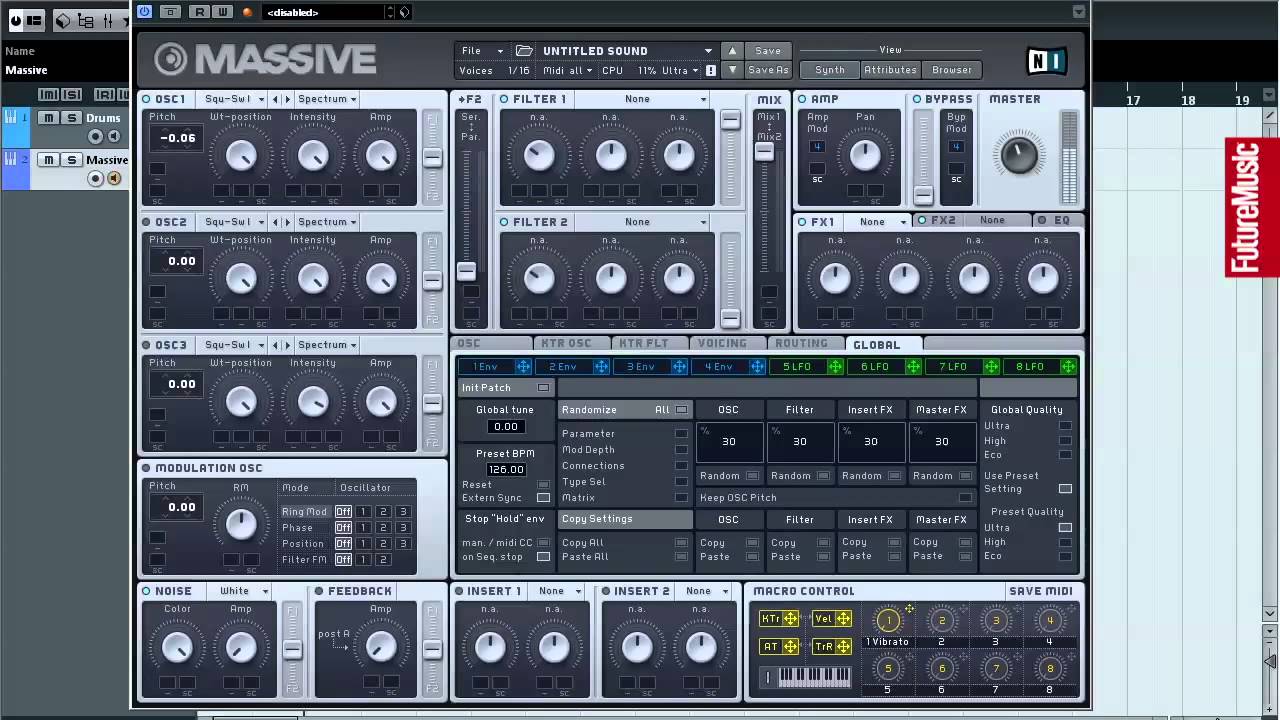
Using Massive for the lead part, you’ll need to click File and then select New Sound from the menu. Now we pretty much have a plain sawtooth waveform, but we’ll need a couple soactivate OSC2 and detune both oscillators, one up by 10 cents and the other down by the same amount.
Set Massive to monophonic mode by navigating to the Voicing page and then checking the Monophon box. Now you’ll want to set up the envelope to emulate the lead from 212. Set FILTER 1 to Lowpass 4 and both the Cutoff and the Resonance to 0.
Drag 4 Env’s modulation handle to FILTER 1 Cutoff’s modulation slot and drag the control amount all the way up to the top. Note that 4 Env is already assigned to the main amplitude. Go to 4 Env, set the Attack knob to about 9-10 o’clock. Set the Decay Level knob to 0 and then the Decay knob itself to about 10-11 o’clock.

Reverb
To give the sound a better spot in the mix, Massive’s in-built EQ provides high and low shelves.Boost the highs to bring back some of the brightness that the filter envelope takes away and then cut the lows to reduce muddy frequencies.
The amount by which you cut and boost will depend on your taste, so experiment until you’re happy. Next in line is reverb. Insert your favourite, with a relatively small mix and scroll through the presets until you find one that’s suitable with a short tail.

Pitch mod
In the bottom-right of Massive’s interface is the MACRO CONTROL section. Right-click on Macro 1and select ‘Clear Macro #1’. Drag Macro 1’s control handle to the pitch modulation slots for both oscillators and push their amounts up to 29.00.
Right-click on Macro 1 again and select MIDI Learn and push your wheel, knob or slider of choice on your MIDI controller to get going. Pushing the pitch all the way up to 29 for the middle of the bar works but you’ll have to slide it just right to mimic 212.
